How to Get Verified on Instagram (And Whether It's Worth It)
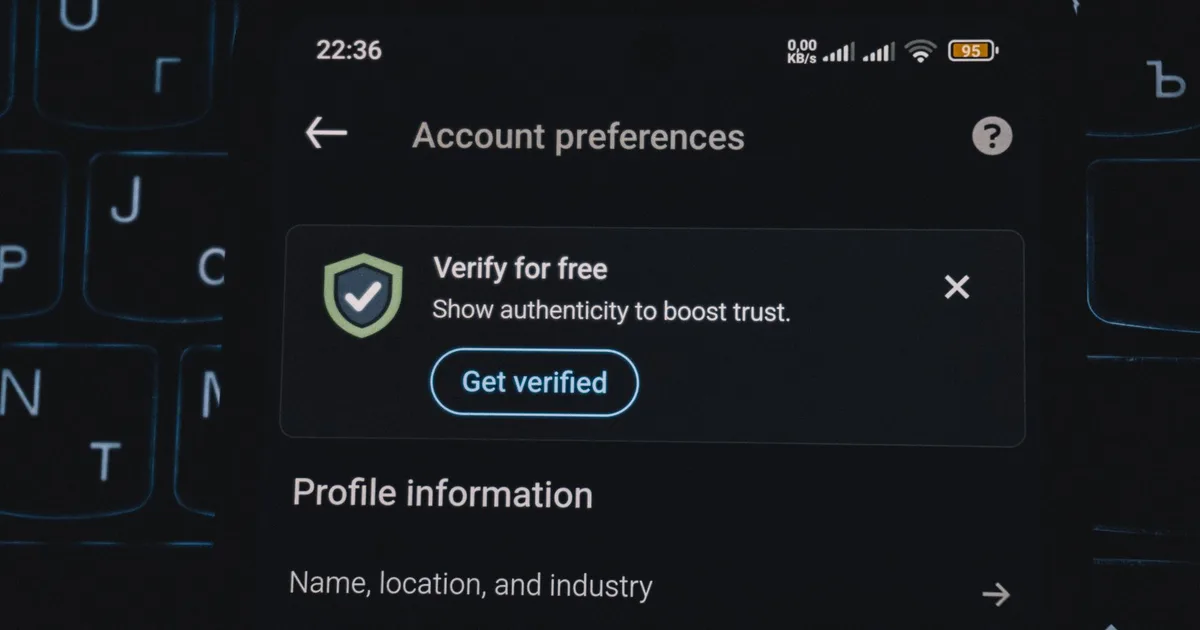
Verification on Instagram used to mean one thing: Meta had confirmed you were a notable public figure worth impersonating. Now there are two separate blue checks with the same appearance and very different meanings, which has made the whole subject confusing.
Here's what each one is, what it takes to get it, and the honest answer about whether it will do anything for you.
The two blue checks
Meta Verified is a paid subscription. You pay a monthly fee, confirm your identity with a government ID, and get a blue badge plus some account features. It's available to most individuals and businesses that meet basic eligibility rules — you don't need to be famous.
Legacy verification is the original, free badge granted to notable accounts. It's still granted, and it still signals "this is the real, well-known person or brand." You apply, and most applications are declined.
They look identical on your profile. To anyone scrolling, a badge is a badge.
What Meta Verified requires
The eligibility bar is deliberately low, because it's a product rather than an honor:
- Minimum age, typically 18.
- A government-issued photo ID whose name matches your profile name. This is the requirement that trips most people up — if you run a pseudonymous account, your display name has to match your legal ID.
- A profile picture with your face for individual accounts.
- Two-factor authentication enabled.
- A history of complying with Meta's policies — recent strikes will block you.
- Some posting history. A brand-new empty account won't qualify.
You subscribe in-app under Settings → Meta Verified, or via the Meta Verified site. Pricing varies by country and by whether you subscribe on the web or through an app store — app store billing is usually more expensive because of platform fees.
What you actually get alongside the badge: impersonation monitoring, access to human account support (genuinely the most valuable part), and some profile features. Meta has stated that the subscription itself doesn't boost your reach.
What legacy verification requires
The free badge has four criteria, and accounts are assessed against all of them:
Authentic. A real person, registered business, or entity. One account per person or business, with limited exceptions for language-specific accounts.
Unique. The account has to be the singular presence for that person or business. Generic-interest accounts and fan accounts don't qualify.
Complete. Public account, a bio, a profile photo, and recent posting activity.
Notable. This is the real bar. The account must represent a well-known, highly searched-for person, brand or entity. Meta assesses this by looking for coverage in independent news sources — paid or promotional coverage doesn't count.
That last criterion is the whole thing. Notability is not something you can create by posting more; it's a reflection of whether the outside world already writes about you. If several independent publications have covered you, you have a case. If not, applying repeatedly won't change the outcome.
You apply under Settings → Account type and tools → Request verification, and you can reapply after 30 days if declined.
Whether it's actually worth it
For most accounts, honestly: no, and for a specific reason. A badge doesn't affect distribution. Reels ranking looks at watch time and sends. Feed ranking looks at your relationship with each viewer. None of these systems ask whether you're verified. An unverified account with better content outreaches a verified one every time.
Where it genuinely helps:
- You're being impersonated. This is the strongest case for either badge. Fake accounts using your name cost you real business and real trust, and both verification types come with tools for dealing with it.
- You need account support. If you make a living from the account, losing access with no way to reach a human is an existential risk. Meta Verified's support channel is the actual product being sold here.
- Trust converts directly to money for you. If you sell services and clients vet you before paying, a badge removes a small amount of friction.
Where it doesn't help:
- Growing an audience. Nothing about a badge makes strangers watch your Reels longer.
- Credibility with people who understand that one of them is purchasable. That's an increasing share of users.
If your goal is growth, the same monthly spend put toward better equipment, editing time, or simply making more content returns more. Our guide to getting your first 1,000 followers covers where that effort actually pays.
Things that are scams
Anyone who offers to get you verified for a fee outside Meta's own subscription. There is no back channel, no insider contact, no agency with a relationship at Meta. Every one of these is a scam, and they usually end with a request for your login.
Anyone asking for your password. No verification process ever requires it. If a "verification service" or a DM claiming to be from Instagram asks you to log in through their link, it's a phishing attempt.
Emails saying your verification is under review when you didn't apply. Standard credential phishing.
The general rule holds: no legitimate Instagram-adjacent service ever needs your Instagram password. That applies to verification services, growth services, and third-party tools alike — including ours. Our post on whether Instagram downloaders are safe covers how to tell the difference.
Frequently Asked Questions
What's the difference between Meta Verified and the old blue check?
Meta Verified is a paid monthly subscription available to most people who confirm their identity with a government ID. Legacy verification is free but requires notability — that the account represents a well-known person or brand covered by independent news sources. Both display the same blue badge.
How many followers do you need to get verified?
There's no follower threshold for either type. Meta Verified requires identity confirmation and basic eligibility, not audience size. Legacy verification requires notability, which is assessed through independent press coverage rather than follower count.
Does verification increase your reach?
No. Meta has said the subscription doesn't boost distribution, and none of Instagram's ranking systems use verification status as a signal. Reach is driven by watch time, sends, saves and your relationship with each viewer.
Can I get verified with a pseudonym?
Meta Verified requires your profile name to match your government ID, so a pseudonymous personal account generally can't qualify. Business accounts are verified against business documentation instead.
Is it possible to buy verification from an agency?
No. There is no path to a badge other than Meta's own subscription or the free application. Anyone offering verification for a fee is running a scam, and most of them are after your login credentials.
Related guides
- How to make money on Instagram — what verification does and does not unlock
- How to get your first 1,000 Instagram followers — the part that actually matters first
- Instagram analytics: which metrics actually matter — measuring credibility signals that are real
- How to collaborate with other creators on Instagram — borrowed credibility, cheaper than a subscription
The StoryStalker editorial team
We build and maintain a set of browser tools for viewing and saving public Instagram content, which means we spend an unreasonable amount of time reading Instagram's help pages, watching features change, and testing what actually happens on a real device versus what the documentation claims. These guides are written from that work. Where Instagram's behaviour is ambiguous we say so rather than guessing, and where a popular claim is wrong we say that too.
Published August 21, 2026 · How we work
Keep reading
How to Collaborate With Other Creators on Instagram
Collabs are the cheapest growth channel available to small accounts — if you pick the right partner and the format does real work. Here's how to find, pitch, and run one.
7 min readHow to Actually Make Money on Instagram
Seven realistic income routes, what audience size each one needs, and roughly what they pay — including why the smallest accounts often earn the most per follower.
7 min readHow to Repurpose One Piece of Content Across Instagram
Making something new every day isn't sustainable. Here's how to turn one idea into a Reel, a carousel, a Story series and a set of clips — without it feeling recycled.
7 min read
The tools these guides refer to
All free, all browser-based, all limited to public accounts.
- Story viewer — Watch public stories without appearing in the viewer list.
- Reels downloader — Save a Reel as an MP4 at its uploaded resolution.
- Photo downloader — Full-resolution photos, including every slide of a carousel.
- Video downloader — Feed video and IGTV, without re-encoding.
- Highlights viewer — Browse and save any public highlight reel.
- Post viewer — Read a public grid in a browser, no login wall.