How long do Instagram stories last?
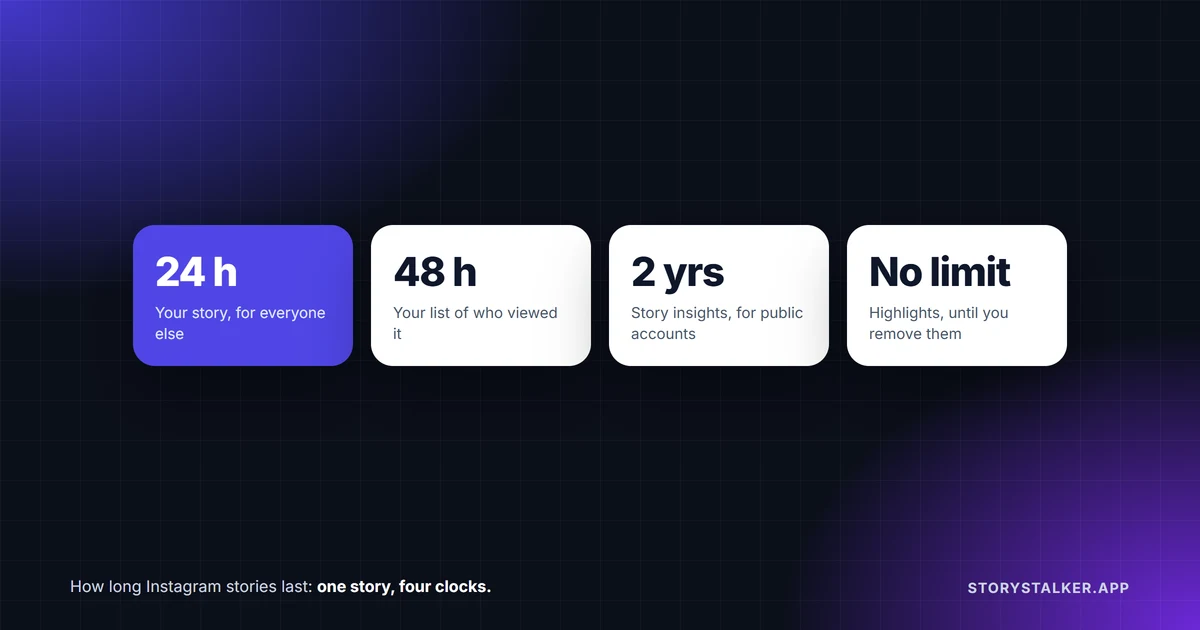
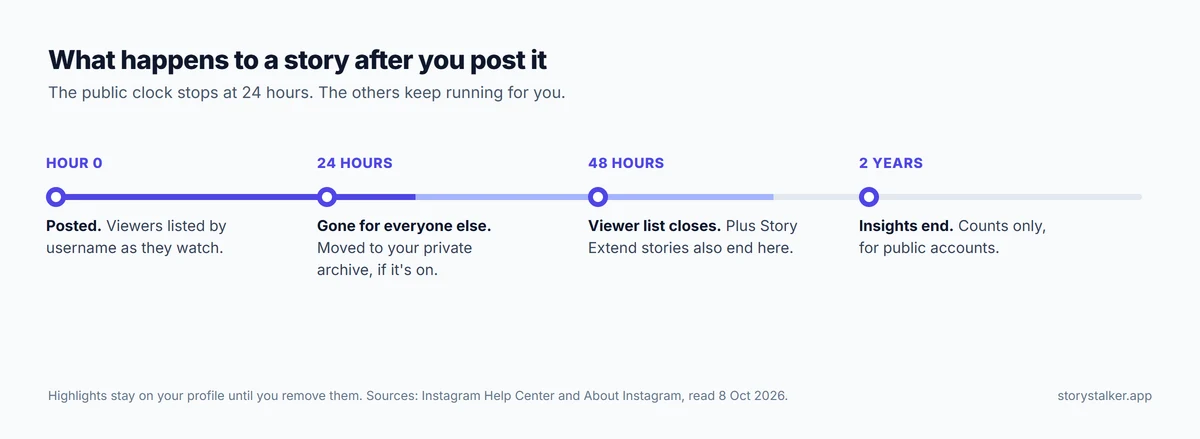
24 hours. "Photos and videos you share to your story disappear from Feed, your profile and Direct after 24 hours, unless you add it as a highlight," Instagram's Help Center says.1 That's the only clock your followers see. Behind it, several others keep running for you:
| What | How long | Source |
|---|---|---|
| Your story, for everyone else | 24 hours | 1 |
| The list of who viewed it | Up to 48 hours after you post | 2 |
| Your copy in the Stories Archive | No expiry is documented, as long as the archive is on | 1 3 |
| Story insights | Up to two years | 4 |
| A highlight | Until you remove it | 5 |
| A story with Instagram Plus Story Extend | 48 hours | 6 7 |
Where a story goes after 24 hours
Unless you've turned it off, your story moves to your Stories Archive: "Stories you create and share on Instagram are saved to your Stories Archive. You can turn off Stories Archive at any time in Settings."1 Nobody else can see the archive. Instagram says "Your memories and archived stories can't be seen on Instagram unless you choose to share them."3 It also says Stories Archive and Highlights "aren't available for all accounts."3
Two things worth knowing about the archive:
- It can change your story. Instagram warns that "some stories may be changed when they are saved to your archive," such as "muting music or freezing videos or gifs," and that the changes are permanent.3 If a story with a music sticker matters to you, save a copy before it expires.
- Public stories are used for AI. "Stories shared publicly, including those in your archive, will be used to improve AI at Meta unless you delete them from your archive or change your account to private."1
If you turn the archive off, "any stories you share from that point on will be deleted after 24 hours."3 To find the archive, go to your profile, tap Menu, then Archive.2 To save a story to your phone from there, open it, tap Options and choose Save photo or Save video.3
How long you can see who viewed it
"You can look at who's seen your story up to 48 hours after you post it."2 For the first 24 hours, open the story and swipe up. For the next 24, open it from your archive and swipe up.2 After 48 hours Instagram no longer shows the list, even though the story is still in your archive. The view number can be higher than the number of names, because it "includes all the replays of your story."2
We go into how that list is ordered in do Instagram story viewers appear in order.
Highlights
A highlight keeps a story on your profile with no time limit: "Stories you add as highlights remain visible as highlights until you remove them, even after the original story has disappeared." The same people who could see your story can see the highlight.5
To add one, open your story, tap More in the bottom right, tap Highlight, and choose an existing highlight or create a new one.5 Instagram doesn't document a viewer list for highlights beyond the original story's 48-hour window.2
Story insights
If your account is public, Instagram keeps the numbers for each story long after the story is gone: "Although stories expire after 24 hours, you can still access insights for up to two years after they're created. Expired stories themselves are not viewable."4 Instagram lists them as counts: views, viewers, interactions, accounts engaged and profile activity.4
Making a story last longer than 24 hours
There are two ways inside Instagram:
- Add it to a highlight. It stays on your profile until you remove it.5
- Story Extend, with Instagram Plus. The subscription ($3.99 a month in the US, with prices varying by country) lets you "give your best moments an additional 24 hours before they disappear," so a story stays up for 48 hours.6 7 8
Close Friends stories follow the normal rule: "Stories shared with close friends disappear after 24 hours."9
How long a story video can be
"When you share a video up to 60 seconds long to your stories, it will appear as one clip. Longer videos will be broken up into multiple clips."10 You can trim the clips before posting, though Instagram says "The video trimmer is currently only available on iOS devices."10 Until 2022, stories were cut into 15-second pieces, so older guides still give that number.11
Deleting a story before 24 hours
Open your story, tap More (or Options on Android), then Delete story, and confirm. If you also shared it to Facebook, you can delete it from both.12
Frequently Asked Questions
Can I see who viewed my story after 24 hours?
Yes, until 48 hours after you posted it. Open it from your archive and swipe up.2
Does the Stories Archive delete old stories?
Instagram doesn't document any time limit for the archive.1 3 Stories you post while the archive is turned off are deleted after 24 hours.3
Can other people see my archived stories?
No. "Your memories and archived stories can't be seen on Instagram unless you choose to share them."3
Do Close Friends stories last longer?
No. They disappear after 24 hours like any other story.9 We explain the list in what is Close Friends on Instagram.
How long does a highlight last?
Until you remove it.5
Why did my story video split into parts?
It was longer than 60 seconds. Videos up to 60 seconds post as one clip; longer ones are broken into several.10
Sources
All pages were read on 8 October 2026. Help Center pages show no revision date.
- Instagram Help Center, How long Instagram stories remain visible.
- Instagram Help Center, How to tell who's seen your Instagram story.
- Instagram Help Center, Archive Instagram Stories or turn off Stories Archive.
- Instagram Help Center, View insights on your Instagram Stories.
- Instagram Help Center, Add a story to your Story Highlights.
- About Instagram, Instagram Plus: Exclusive Features for Your Instagram.
- Engadget, The Instagram Plus subscription has officially launched, 4 June 2026.
- Fox Business, Meta pushes back on claims Instagram Plus exposes repeat story viewers, Stepheny Price, 27 September 2026: "The subscription costs $3.99 a month in the U.S., with prices varying by country, Meta said."
- Instagram Help Center, Share a story with your Close Friends list on Instagram.
- Instagram Help Center, Share a photo or video to your Instagram story.
- SamMobile, Instagram story time limit increased from 15 seconds to 60 seconds, Asif Iqbal Shaik, September 2022.
- Instagram Help Center, Delete your Instagram story.
The StoryStalker editorial team
StoryStalker runs a viewer for public Instagram content, so we follow how Instagram works and how it changes more closely than most people would want to. Each guide is built from Instagram's Help Center, Meta's announcements and developer documentation, and named reporting, and every claim links to the page it came from. When Instagram doesn't document something, we say so instead of guessing. Spotted something out of date? Tell us and we'll fix it.
Published July 12, 2026 · Updated October 8, 2026 · How we work
Keep reading
How to view Instagram stories anonymously
Every story view is listed for 48 hours. What works in 2026: Instagram Plus previews, viewer sites for public accounts, and why airplane mode is a gamble.
11 min readDo Instagram story viewers appear in order?
Instagram explained the viewer list once, in 2018: the top isn't who stalks you most. What's on record, the 50-viewer rule, and what Instagram Plus changed.
7 min readWhat is Close Friends on Instagram?
Close Friends limits a story, post, Reel or note to a list you pick. Nobody is notified when added or removed, but people on the list can tell. How it works.
8 min read