What is Close Friends on Instagram?
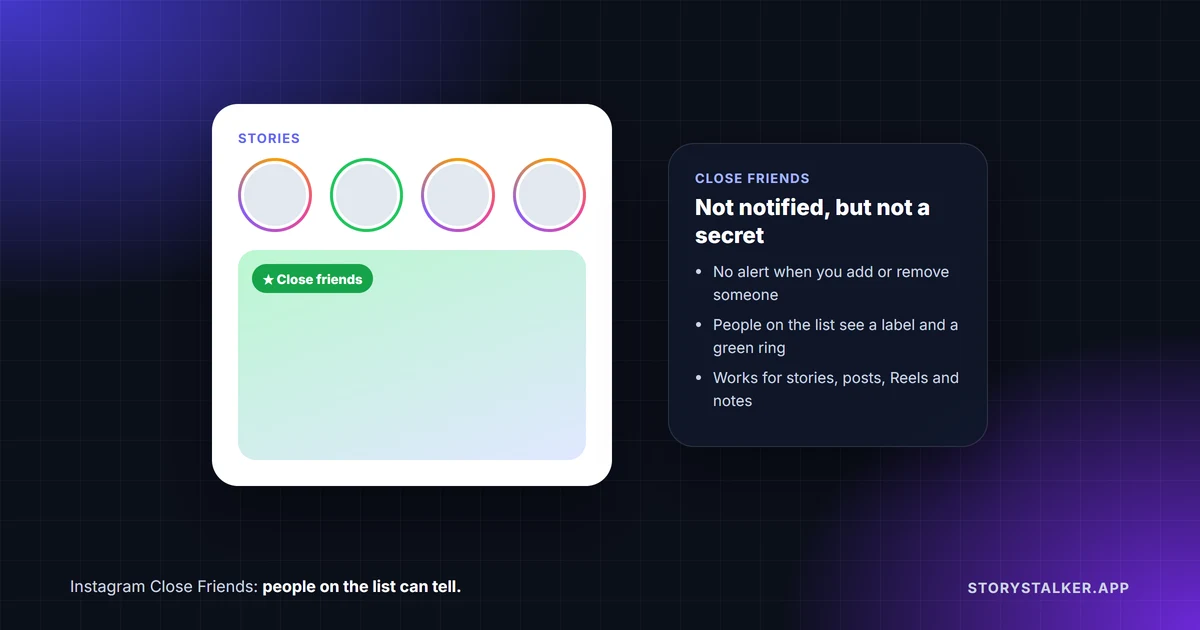
Close Friends is a list of people you pick, so you can share something with them instead of all your followers. Instagram says it works "when you share things like a post, note, reel, or story."1 People aren't told when you add or remove them,1 but people on the list can tell they're on it: they see a Close friends label on what you share with them and may see a green ring around your profile photo.1 2
| Question | Answer |
|---|---|
| Is someone notified when I add them? | No. "People won't be notified when you add or remove them from your list"1 |
| Can they tell they're on it? | Yes. A Close friends label, and possibly a green ring around your photo1 |
| Can someone ask to join my list? | No. "No one can request to be added to your Close Friends list"1 |
| Can someone take themselves off my list? | Not yet. Meta said in January 2026 that it is building this3 |
| What can I share to it? | Stories, feed posts, Reels and notes1 4 |
| Is there a size limit? | Instagram doesn't document one |
| Can people on the list see each other? | On Reels and posts, they see each other's likes and comments1 4 |
How to add or remove people
In the Instagram app, on iPhone or Android:1
- Go to your profile and tap Menu in the top right.
- Under Who can see your content, tap Close Friends.
- Tap Select next to each person you want to add. To take someone off, tap Done next to their name.
- Tap Done at the bottom to save.
On a computer, click More, then Settings, then Close Friends under Who can see your content.1 You can change the list whenever you like, and nobody is told about the change either way.
Sharing to Close Friends
You choose the audience each time you share:
- A story. Take or pick your photo or video, then tap Close Friends at the bottom instead of your usual story button. "Stories shared with close friends disappear after 24 hours," the same as any story.2
- A Reel. Before sharing, tap Audience and select Close Friends.5
- A feed post. Since November 2023, posts have the same audience menu. TechCrunch reported that a Close Friends post shows "a green star icon" in the feeds of the people on your list.4
- A note. Notes can be shared with your Close Friends list too.1
The list is the same everywhere. TechCrunch put it as "Users' Close Friends lists will remain consistent across all kinds of posts, whether they're stories, reels, feed posts or notes."4
What people on your list can see
Being on someone's list isn't a secret from the person on it. Instagram's Help Center says people you add will see "Close friends" when viewing your notes, Reels or stories, "that lets them know they're part of your list," and "They may also see a green ring around your profile photo."1 On Reels, "People on your Close Friends list will know they're on it."5
There's a detail that surprises people: Close Friends posts aren't private between you and each viewer. "If someone on your list likes, comments on or shares your reel, others on your close friends will be able to see their username and how they interact with your reel."1 TechCrunch described the same for posts: likes and comments are "visible to anyone else in the Close Friends circle."4 So a comment on a Close Friends Reel is seen by the whole list, not just you.
Instagram doesn't document anything different for screenshots of Close Friends stories. We cover screenshot rules in does Instagram notify when you screenshot.
Close Friends or hiding your story
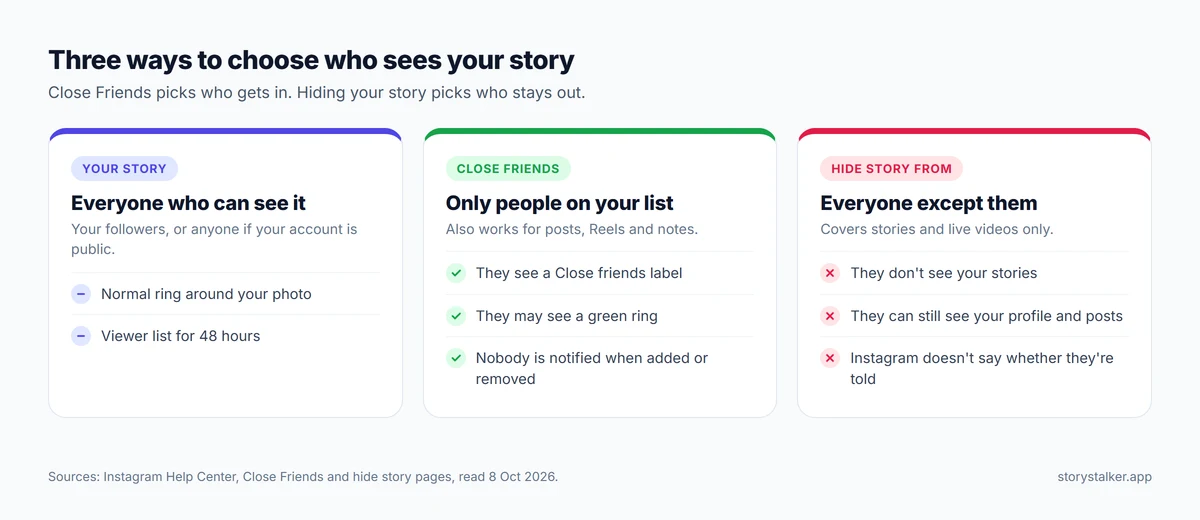
Close Friends picks who gets in. Hiding your story picks who stays out. They work in opposite directions:
| Close Friends | Hide story from | |
|---|---|---|
| Who sees the story | Only the people on your list | Everyone who normally would, except the people you hide it from |
| Applies to | Stories, posts, Reels and notes1 | Stories and live videos6 |
| Does the person know? | They see a label and maybe a green ring1 | Instagram doesn't say. They simply don't see your stories |
| Affects your profile and posts? | Only what you share to the list | No. It "doesn't prevent them from seeing your profile and posts"6 |
To hide your story from someone in the app, go to your profile, tap Menu, then under Who can see your content tap Story, live and location, then Hide your story and live videos from specific people.6 You can also do it from your viewer list: tap Options next to a name, select Hide your story, then tap Hide.6
Instagram is clear that this is a lighter step than blocking: "hiding your story from someone is different from blocking them."6 If you want to know what a block involves on the other side, see how to tell if someone blocked you on Instagram.
How Close Friends has changed
- 2018. Close Friends launched for stories.3
- November 2023. Feed posts and Reels could be shared to the list, marked with a green star.4
- January 2026. Meta told TechCrunch it was developing a way for people to remove themselves from someone's list. A screenshot of an internal prototype, shared by reverse engineer Alessandro Paluzzi, warned that leaving means you won't see that person's Close Friends content unless they add you back. Meta told TechCrunch the feature was still in the early stages and not being tested publicly.3 We found no launch report by October 2026.
- June 2026. Instagram Plus added "Multiple Story Audiences," which lets subscribers "Create as many audience lists as you want," on top of Close Friends.7
Frequently Asked Questions
Does someone know if I add them to Close Friends?
They aren't notified, but they can tell. When they view something you shared to the list, they see a Close friends label and may see a green ring around your profile photo.1
Does someone know if I remove them from Close Friends?
They aren't notified.1 They just stop seeing your Close Friends content, and with it the label and the green ring.
How can I tell if I'm on someone's Close Friends list?
Look for a green ring around their profile photo when they post a story, or a Close friends label on a story, Reel or note.1 2 On feed posts, Close Friends posts were marked with a green star when the feature launched.4
Can I remove myself from someone's Close Friends list?
Not as of October 2026, as far as we can tell. Meta said in January 2026 that it was building the option.3
Is there a limit to how many people can be on Close Friends?
Instagram's Help Center doesn't give one.
Can people on my Close Friends list see who else is on it?
Instagram doesn't document any way for them to see the list itself. On Reels and posts shared to the list, though, everyone on it can see who liked or commented.1 4
Sources
All pages were read on 8 October 2026. Help Center pages show no revision date.
- Instagram Help Center, Create a Close Friends list on Instagram.
- Instagram Help Center, Share a story with your Close Friends list on Instagram.
- TechCrunch, Instagram might soon let you remove yourself from someone's Close Friends list, Aisha Malik, 30 January 2026.
- TechCrunch, Instagram brings Close Friends feature to the main feed, Amanda Silberling, 14 November 2023.
- Instagram Help Center, Share a reel with your close friends list on Instagram.
- Instagram Help Center, Hide your Instagram story from someone.
- Instagram, Introducing Instagram Plus, 4 June 2026.
The StoryStalker editorial team
StoryStalker runs a viewer for public Instagram content, so we follow how Instagram works and how it changes more closely than most people would want to. Each guide is built from Instagram's Help Center, Meta's announcements and developer documentation, and named reporting, and every claim links to the page it came from. When Instagram doesn't document something, we say so instead of guessing. Spotted something out of date? Tell us and we'll fix it.
Published July 12, 2026 · Updated October 8, 2026 · How we work
Keep reading
Do Instagram story viewers appear in order?
Instagram explained the viewer list once, in 2018: the top isn't who stalks you most. What's on record, the 50-viewer rule, and what Instagram Plus changed.
7 min readDoes Instagram notify when you screenshot?
Stories, posts and Reels don't notify anyone. View-once photos in DMs can't be screenshotted at all now, and vanish mode can still tell the sender.
10 min readHow to view Instagram stories anonymously
Every story view is listed for 48 hours. What works in 2026: Instagram Plus previews, viewer sites for public accounts, and why airplane mode is a gamble.
11 min read