How to tell if someone blocked you on Instagram
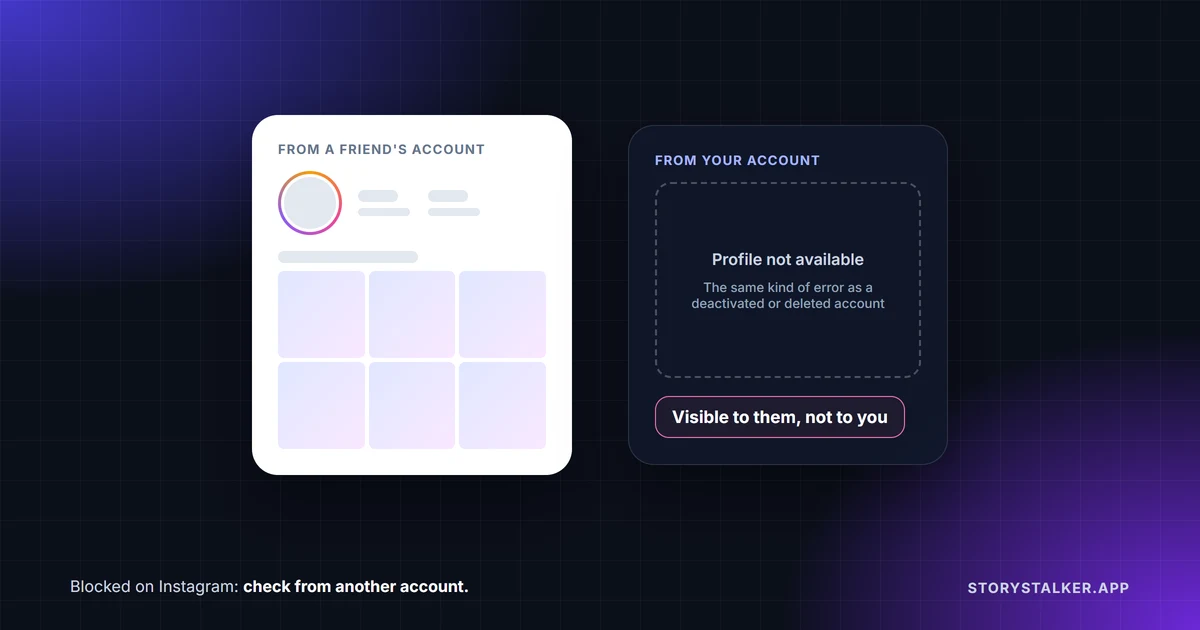
Instagram doesn't tell you. "People aren't notified when you block them," the Help Center says.1 Instagram gives you a list of the people you've blocked, but nothing like it for the people who blocked you.2 From your side, a block mostly looks like the account disappeared, which is also what a deactivated or deleted account looks like.
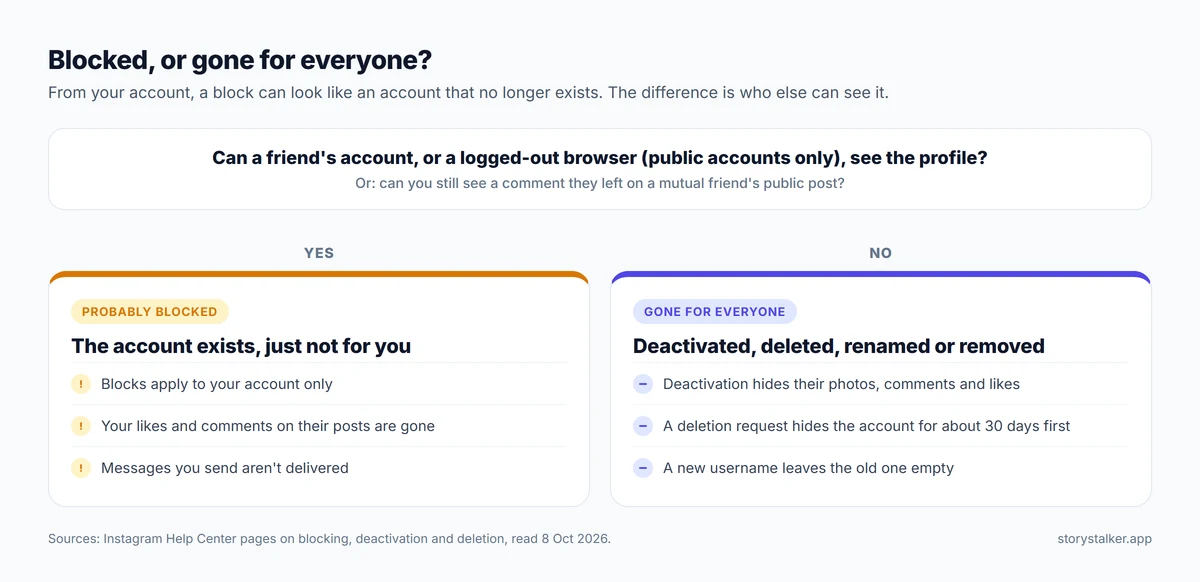
The way to tell them apart is to look from somewhere other than your own account. If the profile shows up for a friend, or (for a public account) in a logged-out browser, but not for you, you've very likely been blocked. If it's gone for everyone, the account was deactivated, deleted, renamed or removed.
What changes when someone blocks you
Instagram's Help Center describes blocking from the blocker's side. Turned around, this is what it means for the person who was blocked:1
- Your likes and comments on their posts disappear. "After you block someone, their likes and comments will be removed from your photos and videos." They don't come back if you're unblocked.
- You can't mention or tag them. "After you block someone, they won't be able to mention your username or tag you."
- Your messages stop reaching them. The chat stays in their inbox, but they don't receive your messages, and "they won't be delivered later if you unblock them." Instagram doesn't describe what your side of the chat shows.
- Group chats carry on. If you share a group, they choose whether to stay. If they stay, you can still see each other's messages there.
- New accounts can be blocked too. When someone blocks you, they can choose to block "their account and other existing accounts they may have or accounts they may create."
On what the profile looks like to you, Instagram says only this, on its page about unfollowing: "When you block someone, the blocked person can't see your photos or videos or search for your Instagram account."3 It doesn't say which error message you get. People commonly report a page reading "Sorry, this page isn't available," which is also what you see for an account that doesn't exist, so the message on its own proves nothing.
Checks that actually tell you something
From most to least reliable:
- Ask someone else to look. Have a friend search for the username, or check from a second account of your own. If the profile appears for them and not for you, the block is specific to your account, and that's what a block is.
- Find one of their old comments. Instagram tells blockers that the people they block "can still see your likes and comments on posts that were shared by public accounts or accounts they follow."1 That means a blocked person can still see the blocker's comments on public posts and on posts by accounts the blocked person follows. A deactivated account's "photos, comments and likes will be hidden" from everyone.4 So if you can still see a comment they left on a public post, or on a post by someone you follow, but their profile won't open for you, the account exists and you've very likely been blocked.
- Open their profile in a logged-out browser. This only works if their account is public. Use a private window and go to instagram.com/theirusername. Instagram says that for a public account, "anyone will be able to see your profile and posts by visiting instagram.com/[your username] on the web."5 If the profile loads there and not in your app, that points to a block. Expect a sign-up prompt on top of the page.
Blocked, deactivated, deleted or renamed
| What happened | Who can't see the profile | What else you'll notice |
|---|---|---|
| They blocked you | Only you3 | Your likes and comments vanish from their posts. Their comments on public posts, or posts by accounts you follow, stay visible to you1 |
| They deactivated | Everyone | Their photos, comments and likes are hidden until they log back in4 |
| They asked to delete the account | Everyone | Not accessible during a 30-day window (it varies by region), then deleted. Full removal can take up to 90 days6 |
| They changed their username | Everyone, at the old username | The account still exists under the new one. Search for their name instead |
| Instagram removed the account | Everyone | Looks the same as a deletion from the outside |
Deactivation and a pending deletion look much the same from outside. During the 30 days after a deletion request, the content "is not accessible to other people using Instagram."6
Signs that don't mean you're blocked
- They stopped replying. On its own that says nothing. People leave messages unanswered all the time.
- You can't see their stories any more. They may not have posted, may be sharing to Close Friends, or may have hidden their stories from you, which is a separate setting from blocking.7
- Their profile shows but the posts don't. That usually means a private account that hasn't approved you as a follower.5
- They unfollowed you. "People won't be notified when you unfollow them,"3 and a public profile stays visible to anyone.5
Someone may also have restricted you instead of blocking. Restrict is quieter: Instagram lists no change to what you can see, but your new comments on their posts are visible only to you until they approve them, and your messages land in their message requests.8
If you're the one blocking
Instagram lets you block an account from its profile, from a chat, or from Settings → Blocked (under "Who can see your content"). When you block, you can choose to cover their other existing accounts and any new accounts they create, though accounts of theirs that you already follow have to be blocked one by one.2 If blocking feels like too much, Instagram suggests you "remove them as a follower, restrict them, or block them from commenting on your photos and videos."1
Frequently Asked Questions
Does Instagram tell you when someone blocks you?
No. "People aren't notified when you block them."1 Instagram only lists the accounts you have blocked yourself.2
Can I message someone who blocked me?
You may still see your old chat, but messages from a blocked account aren't received, and "they won't be delivered later if you unblock them."1
Will my likes and comments come back if they unblock me?
No. "Unblocking someone won't restore their previous likes and comments."1
Can they block a new account I make?
Yes, if they chose that option when they blocked you. Instagram offers to block "accounts they may create" as part of the same block.1
What does "Sorry, this page isn't available" mean?
That the profile can't be shown to you. It can mean a block, a deactivated or deleted account, a changed username, a typo, or an outage. Instagram doesn't document which message appears in which case, so check from another account before concluding anything.
Is there a waiting period before someone can block me again after unblocking?
Not that Instagram documents. Its block and unblock pages mention no waiting period, so the 48-hour wait you may read about isn't an Instagram rule as far as its Help Center says.2
Sources
All pages were read on 8 October 2026. Help Center pages show no revision date.
- Instagram Help Center, What happens when you block someone on Instagram.
- Instagram Help Center, Block or unblock someone on Instagram.
- Instagram Help Center, Unfollow someone on Instagram: "People won't be notified when you unfollow them."
- Instagram Help Center, Temporarily deactivate your Instagram profile: "your photos, comments and likes will be hidden until you reactivate it by logging back in."
- Instagram Help Center, Who can see your Instagram profile and photos on the web: "If your account is set to public, anyone will be able to see your profile and posts by visiting instagram.com/[your username] on the web."
- Instagram Help Center, Permanently delete or deactivate your Instagram profile: the 30-day window, regional variation, and "not accessible to other people using Instagram."
- Instagram Help Center, Hide your Instagram story from someone.
- Instagram Help Center, Restrict or unrestrict someone on Instagram.
The StoryStalker editorial team
StoryStalker runs a viewer for public Instagram content, so we follow how Instagram works and how it changes more closely than most people would want to. Each guide is built from Instagram's Help Center, Meta's announcements and developer documentation, and named reporting, and every claim links to the page it came from. When Instagram doesn't document something, we say so instead of guessing. Spotted something out of date? Tell us and we'll fix it.
Published July 11, 2026 · Updated October 8, 2026 · How we work
Keep reading
Restrict vs block vs mute on Instagram
Mute changes what you see. Restrict quietly fences off someone's comments and messages. Block cuts contact. What each does, and what the other person can tell.
8 min readDoes Instagram notify when you screenshot?
Stories, posts and Reels don't notify anyone. View-once photos in DMs can't be screenshotted at all now, and vanish mode can still tell the sender.
10 min readCan you see who viewed your Instagram Reel?
No. Reel insights give counts, not names, including the confusingly named Viewers metric. What you can see, who can see your likes, and what a view counts.
6 min read