Restrict vs block vs mute on Instagram
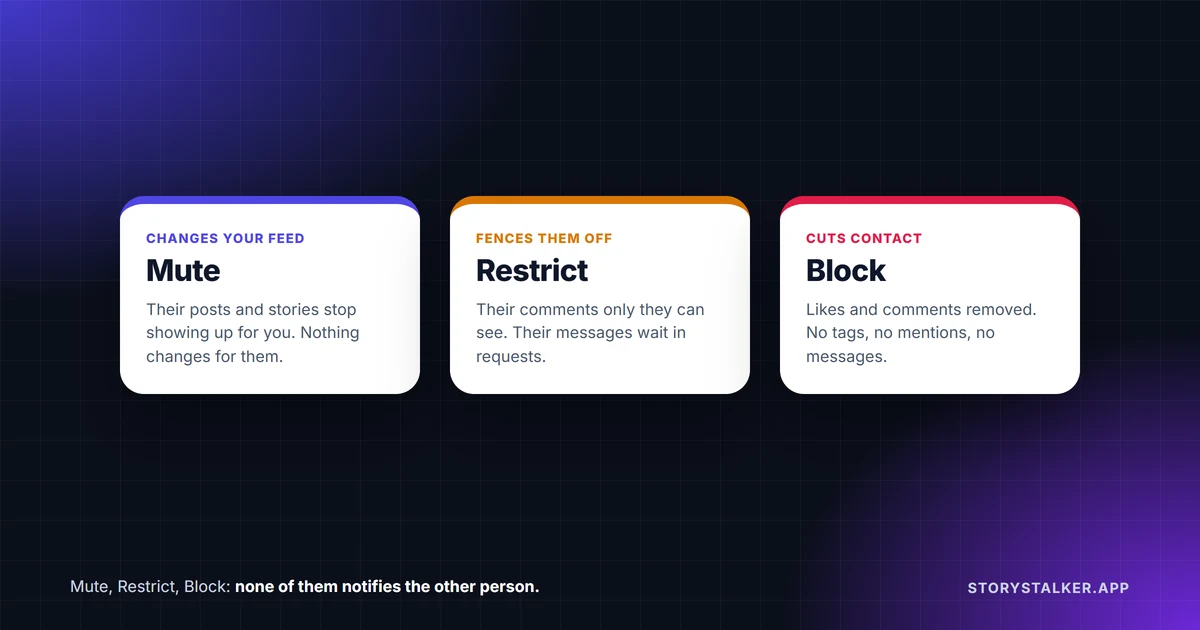
Mute if you want to see less of someone. Restrict if you want them to see less of you without noticing. Block if you want them gone. Instagram says it doesn't notify the person when you mute or block them, and its Restrict page doesn't mention a notification either.1 2 3
- Mute only changes what you see. Their posts, stories or messages stop reaching you, and "Instagram won't let them know you muted them."3
- Restrict puts a quiet fence around someone. Their new comments on your posts are visible only to them until you approve them, their messages go to your message requests, and they can't see when you're online or whether you've read their messages.1
- Block cuts the connection. Their likes and comments are removed from your posts, they can't tag or mention you, and their messages never reach you.2
| Mute | Restrict | Block | |
|---|---|---|---|
| Are they notified? | No3 | Instagram doesn't say they are1 | No2 |
| Can they still see your profile and posts? | Instagram lists no change3 | Instagram lists no change1 | No. They "can't see your photos or videos or search for your Instagram account"4 |
| Their comments on your posts | Instagram lists no change | New ones visible only to them until you approve1 | Existing likes and comments removed2 |
| Their messages to you | You can mute their messages and calls3 | Moved to message requests. You can read them without them knowing1 | Not received, and not delivered later if you unblock2 |
| Your online status and read receipts | Instagram lists no change | Hidden from them1 | You can't message each other2 |
| Can they tag or mention you? | Instagram lists no change | Instagram doesn't say | No2 |
| Undo | Turn the mute off | Unrestrict | Unblock |
Mute
Muting changes what reaches you, not what they can do. Instagram describes it as the option for when "you don't want to see someone's posts in your Feed, see their stories at the top of your Feed or see incoming messages they send you."3 You keep following them, they keep following you, and nothing changes on their side.
You can mute posts, stories, or both from their profile: tap Following, then Mute, and turn on Posts or Stories.3 To mute just their stories, press and hold their profile picture in the stories row at the top of your feed and choose Mute.5 To mute a chat, tap their name at the top of the conversation and then Mute.3
Notes are separate. "Muting someone's messages, posts or stories will not apply to notes they share," so if you also want their notes gone, press and hold one of their notes and choose Mute notes.3 6
Restrict
Restrict is for when you want to deal with someone without blocking them. Instagram's Restrict page describes these effects:1
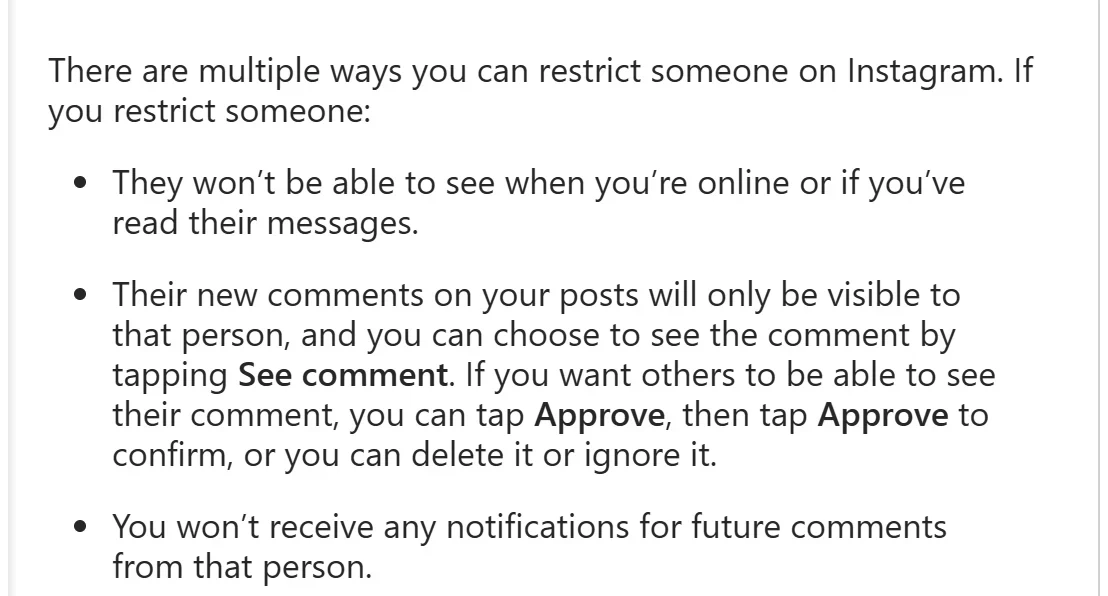
- "They won't be able to see when you're online or if you've read their messages."
- "Their new comments on your posts will only be visible to that person." You can tap See comment to read one, then Approve it so others can see it, delete it, or ignore it. You also stop getting notifications for their comments.
- Your chat with them moves to Message Requests, and new messages from them go there too. "You'll be able to see the person's message without the person knowing that you've seen it."
What it doesn't do matters as much. The Restrict page lists no change to what they can see of your profile, posts or stories.1 If you also want your stories out of their sight, use Hide story from as well, which is a separate setting.7
To restrict someone, open their profile, tap Options in the top right and choose Restrict. You can also do it from a comment (press and hold it, then Restrict account), from a chat, or from Settings under How others can interact with you.1 If you share a group chat with them, Instagram warns you that you'll still see their messages there and lets you stay or leave.1
Block
Block is the strongest option. Instagram says "People aren't notified when you block them," and lists what changes:2
- "Their likes and comments will be removed from your photos and videos." Unblocking won't bring them back.
- "They won't be able to mention your username or tag you."
- Your chat stays in your inbox, but you can't message each other, and their messages "won't be delivered later if you unblock them."
- You can choose to block "their account and other existing accounts they may have or accounts they may create."
If you're on the other side and wondering whether someone blocked you, we explain how to check in how to tell if someone blocked you on Instagram.
Two more options worth knowing
Hide story from. Keeps one person from seeing your stories and live videos without touching anything else. Instagram notes it "doesn't prevent them from seeing your profile and posts."7 It's covered with Close Friends in what is Close Friends on Instagram.
Limits. For a pile-on rather than one person. Limits temporarily hides comments and new chats from groups of accounts, such as accounts that don't follow you or followed you in the last week, "without them knowing," for up to four weeks at a time, which you can extend. You set it up in the Instagram app. One detail: people you've limited who try to tag or mention you "will see a general message that you don't let everyone do this."8
Which one to use
Our take, based on what each setting does:
- Someone posts too much, or you need a break from them: mute. It's invisible and fully reversible.
- Someone leaves comments you don't want others to read, or messages you'd rather not answer: restrict. You keep the evidence, they lose the audience, and they get no signal that anything changed.
- Someone is harassing you, or you never want to hear from them again: block, and consider blocking their other accounts at the same time. Report them too if they broke Instagram's rules.
- A sudden wave of comments from strangers: turn on Limits.
Frequently Asked Questions
Does Instagram notify someone when you restrict them?
Instagram's Restrict page doesn't say they're notified, and it says you can read their messages "without the person knowing that you've seen it."1
Can a restricted person see my posts and stories?
Instagram lists no change to what they can see.1 To keep your stories from them, use Hide story from as well.7
Does muting someone notify them?
No. "Instagram won't let them know you muted them."3 Muting their notes doesn't notify them either.6
If I mute someone, do they still see my posts?
Yes. Muting only changes what you see. It's "different from unfollowing them."3
Can someone tell if I restricted them?
Not from a notification. They might notice indirectly: their comments on your posts get no replies from others, since nobody else can see them, and they can't see your online status or whether you've read their messages.1
What's the difference between restrict and block?
Restrict keeps the connection but quarantines their comments and messages. Block cuts it: their likes and comments are removed from your posts, they can't tag or mention you, and their messages never reach you.1 2
Sources
All pages were read on 8 October 2026. Help Center pages show no revision date.
- Instagram Help Center, Restrict or unrestrict someone on Instagram.
- Instagram Help Center, What happens when you block someone on Instagram.
- Instagram Help Center, Mute or unmute someone on Instagram.
- Instagram Help Center, Unfollow someone on Instagram: "When you block someone, the blocked person can't see your photos or videos or search for your Instagram account."
- Instagram Help Center, Mute or unmute someone's Instagram story.
- Instagram Help Center, Mute or unmute notes from someone on Instagram.
- Instagram Help Center, Hide your Instagram story from someone.
- Instagram Help Center, Temporarily limit people from interacting with you on Instagram.
The StoryStalker editorial team
StoryStalker runs a viewer for public Instagram content, so we follow how Instagram works and how it changes more closely than most people would want to. Each guide is built from Instagram's Help Center, Meta's announcements and developer documentation, and named reporting, and every claim links to the page it came from. When Instagram doesn't document something, we say so instead of guessing. Spotted something out of date? Tell us and we'll fix it.
Published October 13, 2026 · How we work
Keep reading
How to tell if someone blocked you on Instagram
Instagram never tells you that you've been blocked, and a block can look like a deactivated account. Checks that tell them apart, and signs that mean nothing.
8 min readCan you view a private Instagram account?
Not without being an approved follower. What a private profile shows to anyone, what it hides, how private viewer sites make money, and the one real leak.
8 min readHow to view Instagram without an account or the app
A public profile and its posts open in a browser without logging in. Live stories and the Reels feed didn't. What we saw logged out, and Instagram's embed option.
6 min read