How to view Instagram without an account or the app
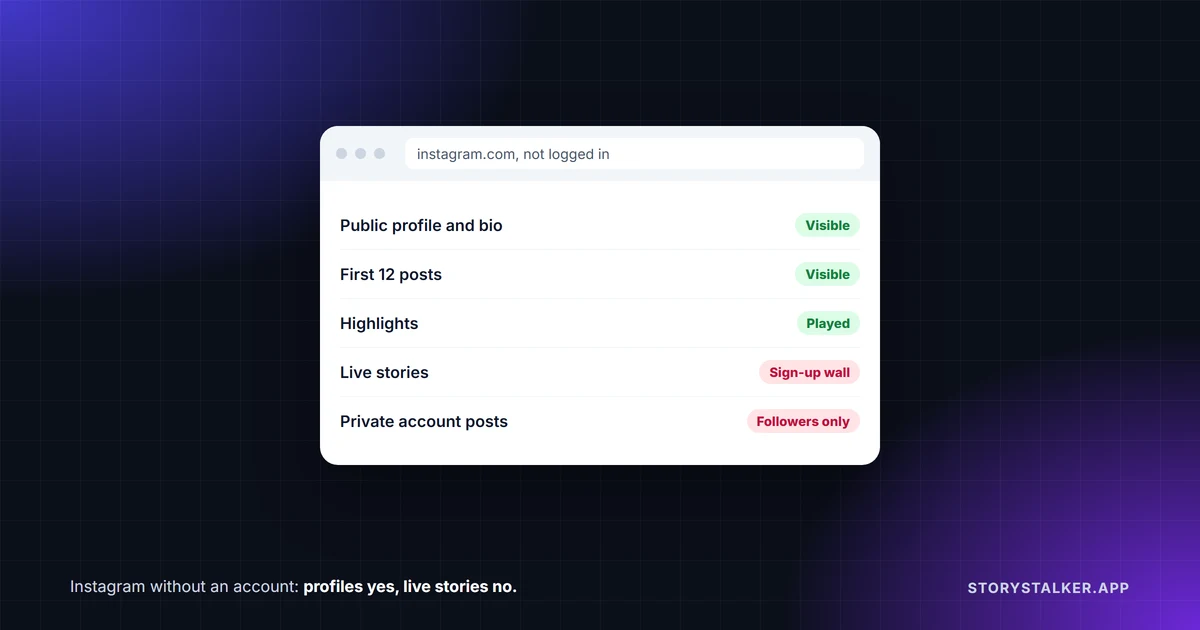
You can see a public profile and its posts without an account. Live stories are another matter. Instagram says that for a public account, "anyone will be able to see your profile and posts by visiting instagram.com/[your username] on the web."1 When we tried it logged out, a sign-up prompt covered the page and scrolling loaded nothing past the first 12 posts. A link to the account's current story showed only a sign-up screen, though its highlights (stories saved to the profile) did play.
A private account's posts are only for approved followers. Its profile photo, name, username and bio are visible to "Anyone on or off Instagram."2
What we saw without logging in
On 8 October 2026 we opened a large public account's pages in Chrome on a computer, with no Instagram login and no saved data. This is what happened:
| Page | What loaded |
|---|---|
| A public profile (instagram.com/username) | Follower and following counts, bio, highlights and the first 12 posts, under a sign-up prompt that closes with the X. Scrolling loaded no more posts |
| One of the profile's highlights | It opened and played |
| A single post link (instagram.com/p/...) | The post and its caption, with a "Sign up" banner |
| The profile's Reels tab | Reel thumbnails with view counts |
| The account's story link (instagram.com/stories/username) | No story. Only "See this story before it disappears" and buttons to sign up or log in |
| The Reels feed (instagram.com/reels) | Nothing but the log in and sign up buttons |
| Explore (instagram.com/explore) | Trending topics and suggested profiles |
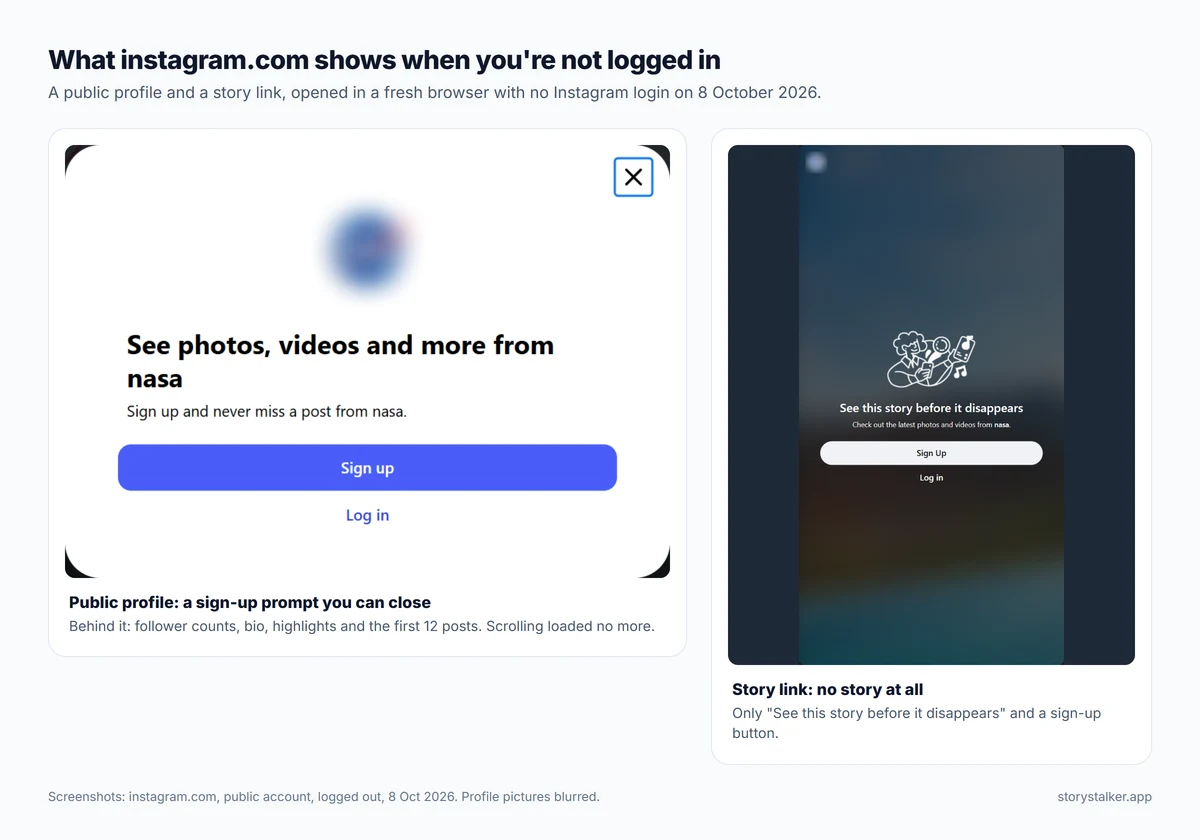
This is one session, on one day, on a computer, so treat the details as a snapshot. Instagram doesn't publish its rules for logged-out visitors, and a phone's browser may behave differently: mobile pages tend to push you towards the app.
How to look at a public profile without an account
- Open a browser. You don't need the Instagram app. (We tested on a computer.)
- Go to instagram.com/ followed by the username, for example instagram.com/natgeo.
- Close the sign-up prompt with the X in its corner.
- Click a post to open it on its own page.
If you have the exact link to a post, open it directly. In our test a post link opened with its caption, behind a sign-up banner.
What doesn't work without an account
- Live stories. The account's story link showed only a sign-up screen. Highlights did play, but a story that's up right now needed an account in our test, and with an account your username normally appears in the poster's viewer list (Instagram Plus previews are the exception).3 We cover the options in how to view Instagram stories anonymously.
- Private accounts. Their photos and videos are seen by "Your followers" and nobody else.2 There is no workaround; see can you view a private Instagram account.
- Liking, commenting and messaging. These are things your account does, so they need you to log in.
- Scrolling a full profile. In our test the grid stopped after the first 12 posts.
Embedded posts on other websites
Instagram has an official feature for showing public posts on other websites. "If your Instagram account is public, anyone can embed your posts, reels, guides, or profile directly on their website, blog, or news article," and an embedded post "appears directly on their website, so people can see it right there without using Instagram."4 That's why you can often see an Instagram post inside a news article without logging in.
Embed codes come from a browser, not the app: "You can't copy embed codes from the Instagram app."4 Accounts can turn embedding off, and "Private accounts and content from private accounts can't be embedded."4
Using Instagram without the app, with an account
If you have an account but don't want the app, you can log in at instagram.com and use it in a browser, including posting Reels from a computer.5 6 Instagram says "The privacy settings you set on mobile are the same as your privacy settings on the web."1 Some settings, such as read receipts in chats, aren't available on computers.7
On an iPad, there is now a dedicated app: Instagram launched one in September 2025 after years without it.8
Frequently Asked Questions
Can I see Instagram stories without an account?
Not live ones, in our test. The account's story link showed "See this story before it disappears" with sign-up and log-in buttons and nothing else. Highlights saved on a public profile did play.
Can I see a private Instagram account without an account?
Its profile photo, name, username and bio, which Instagram makes visible to "Anyone on or off Instagram." Its posts are for approved followers.2
Why does Instagram keep asking me to log in?
In our test, a sign-up prompt covered a public profile and scrolling loaded nothing past the first 12 posts. Instagram doesn't publish its rules for logged-out visitors.
Does the person know I looked at their profile without an account?
No. Instagram doesn't tell anyone who viewed their profile, logged in or not. Details in does Instagram have profile views.
Can I watch Reels without an account?
A profile's Reels tab showed thumbnails and view counts when we tried it logged out. The Reels feed itself showed only log-in and sign-up buttons.
Sources
Instagram pages were read, and the logged-out pages opened, on 8 October 2026. Help Center pages show no revision date.
- Instagram Help Center, Who can see your Instagram profile and photos on the web.
- Instagram Help Center, Differences between public and private accounts on Instagram.
- Instagram Help Center, How to tell who's seen your Instagram story.
- Instagram Help Center, Embed an Instagram post or profile.
- Instagram Help Center, Instagram on the Web.
- Instagram Help Center, Record a reel on Instagram: on a computer, "Click Select from computer and choose the content you want to share from your device."
- Instagram Help Center, Manage read receipts for your chats on Instagram: "This feature isn't available on computers."
- TechCrunch, Instagram is finally launching an iPad app, 3 September 2025.
The StoryStalker editorial team
StoryStalker runs a viewer for public Instagram content, so we follow how Instagram works and how it changes more closely than most people would want to. Each guide is built from Instagram's Help Center, Meta's announcements and developer documentation, and named reporting, and every claim links to the page it came from. When Instagram doesn't document something, we say so instead of guessing. Spotted something out of date? Tell us and we'll fix it.
Published July 16, 2026 · Updated October 8, 2026 · How we work
Keep reading
Can you view a private Instagram account?
Not without being an approved follower. What a private profile shows to anyone, what it hides, how private viewer sites make money, and the one real leak.
8 min readHow to view Instagram stories anonymously
Every story view is listed for 48 hours. What works in 2026: Instagram Plus previews, viewer sites for public accounts, and why airplane mode is a gamble.
11 min readRestrict vs block vs mute on Instagram
Mute changes what you see. Restrict quietly fences off someone's comments and messages. Block cuts contact. What each does, and what the other person can tell.
8 min read