How to View Instagram Stories Anonymously (5 Free Methods)
We get it. You want to check someone's Instagram story without them knowing you watched it. Maybe it is an ex, a competitor, or someone you just unfollowed and do not want to give the satisfaction of a view. We have all been there.
Instagram shows the poster exactly who viewed their story. Your name, your profile picture, right there on their screen. Not ideal when you are trying to be low-key.
So we put together this guide with 5 methods to view Instagram stories anonymously in 2026. Full disclosure: Method 1 is our own tool, but we genuinely believe it belongs on this list and we think you will agree once you try it. The other 4 methods are platform tricks that may or may not work depending on how recently Instagram patched them.
Quick Background: How Instagram Story Views Work
Before we jump in, here is what Instagram actually tracks when you view a story:
- Your username appears in the poster's viewer list
- Total view count is shown to the poster
- View order used to be chronological but now Instagram sorts by interaction history and relevance
The important detail: Instagram only records your view if you watch through your own logged-in account. If the story is fetched some other way, your name never shows up. That is the principle behind anonymous viewing.
Method 1: Use StoriesDown's Online Story Viewer
Yes, this is our tool. We are biased. But here is why we built it and why we think it is worth trying before you scroll to the next method.
We wanted a simple way to check stories without the whole song and dance of airplane mode tricks or burner accounts. So we built StoriesDown's Story Viewer to do exactly that: enter a username, see their stories, done. No login, no app, no trace.
How It Works
- Open our Story Viewer page
- Type in the username of the person whose stories you want to see
- Hit Search
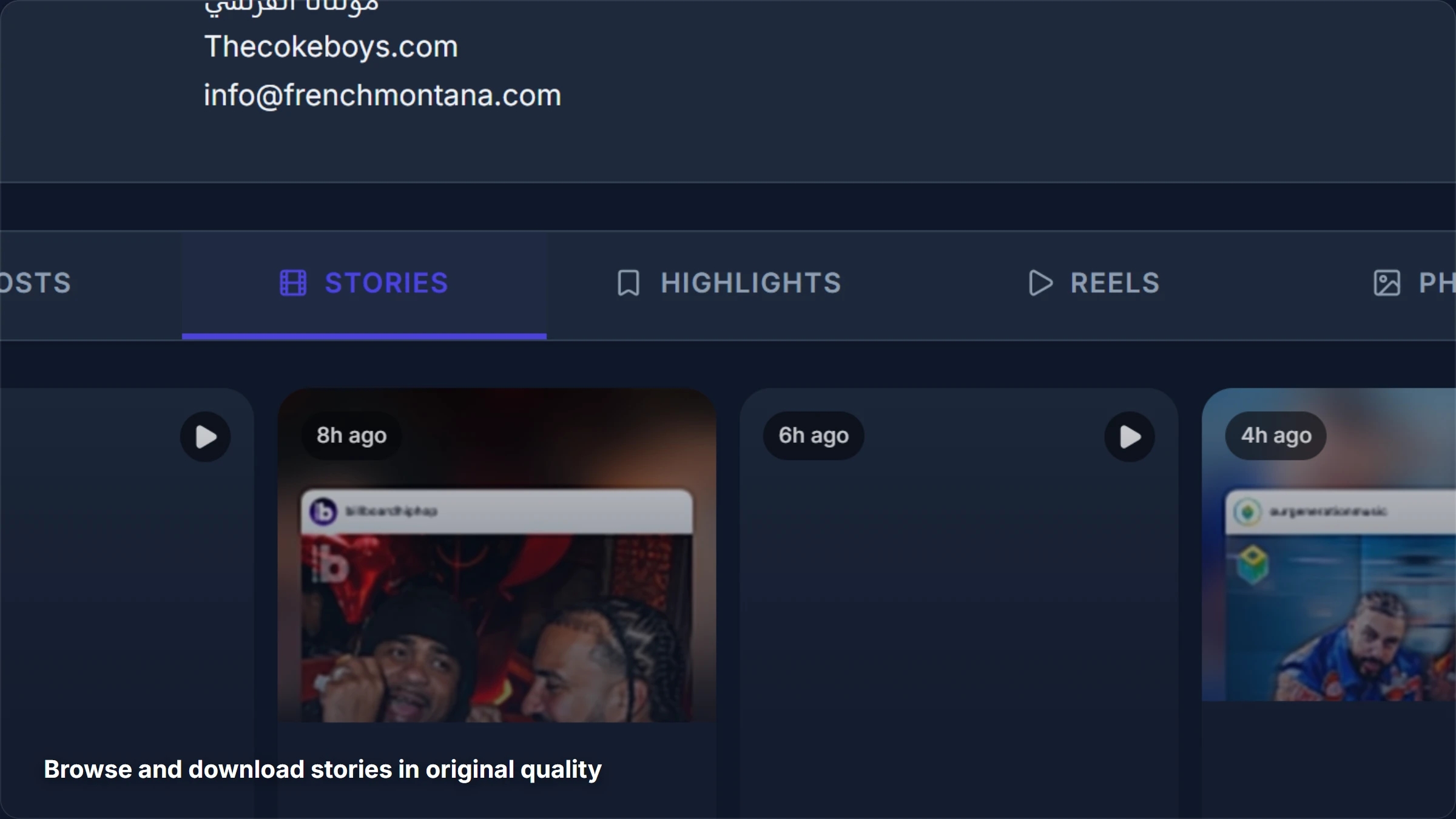
- Browse all their active stories with timestamps
- Download any story in original quality if you want to keep it
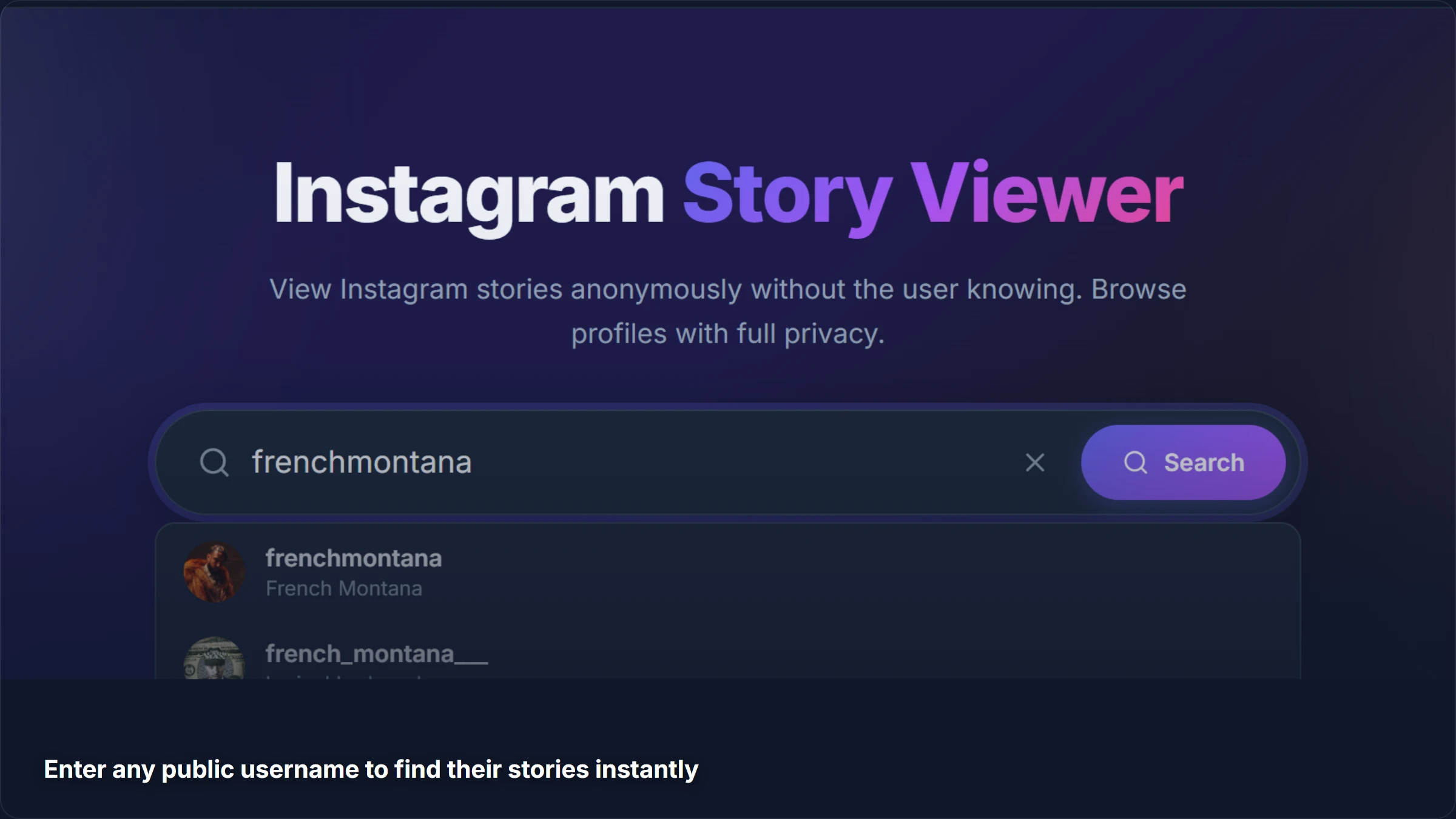
Once the profile loads, you get their bio, follower count, and all active stories laid out as thumbnails. Tap any story to view it full-size.
Why We Think It Deserves the #1 Spot
- Actually anonymous - Your Instagram account is never involved, so your name literally cannot appear in the viewer list
- No login, no app - Works right in your browser. We do not ask for your Instagram password (and you should never give it to any tool that does)
- Download in original quality - Save stories as photos or videos at the same resolution as the original
- Free - No premium tier, no "unlock for $4.99" paywall, no ads interrupting your browsing
- Works on any device - Phone, tablet, laptop, whatever has a browser
Look, there are other story viewers out there. We are not going to pretend we are the only option. But we have put a lot of work into making ours fast, clean, and reliable. Give it a try and see for yourself.
Method 2: The Airplane Mode Trick
This one has been floating around the internet for years. The idea is simple: preload the story while online, go offline, watch it, then close the app before going back online so Instagram never sends the view data.
Steps
- Open Instagram and wait for stories to load on your home feed
- Look for the colored ring around profile pictures (that means stories are preloaded)
- Turn on Airplane Mode
- Watch the story
- Force-close Instagram completely (this is the important part)
- Turn Airplane Mode off
The Honest Truth About This Method
This used to work pretty well a couple of years ago. In 2026, it is unreliable. Instagram has been updating the app to queue view data locally and send it once you reconnect, even if you force-closed the app. We have tested this ourselves and it is a coin flip at best.
Also, you can only watch stories that happened to preload on your feed. You cannot search for a specific person's stories this way.
Our verdict: Maybe it works, maybe it does not. Not worth the risk if you really need to stay anonymous.
Method 3: Use a Burner Account
Create a throwaway Instagram account with a fake name and no profile picture, then use that to watch stories.
Steps
- Sign up with a throwaway email
- Do not use your real name or photo
- Do not follow people from your real social circle
- Watch stories from this account
The Catch
The poster will see a view from your burner account. They will not know it is you, but they will see that some random account with no photo and a weird name watched their story. Depending on who you are watching, that might be more suspicious than just viewing normally.
Also, Instagram has been cracking down on empty accounts with no activity, flagging them as bots and disabling them.
Our verdict: Works if you do not mind the poster seeing an anonymous-looking account in their viewer list. Not truly invisible though.
Method 4: Incognito Browser Mode
Some guides suggest opening Instagram in an incognito or private browser window. We want to be straight with you: this does not make your story views anonymous.
If you log into Instagram in an incognito window and watch a story, your name still appears in the viewer list. Incognito mode only prevents your browser from saving cookies and history locally. It does nothing to hide your activity from Instagram's servers.
This method is useful if you share a computer and do not want your Instagram session saved, but it has nothing to do with anonymous story viewing.
Our verdict: Does not work for this purpose. Skip it.
Method 5: Wait for Highlights
Here is an interesting one that actually works but with a big limitation. When someone saves a story to their profile highlights, those highlights do not show a viewer list. You can browse them freely without the account owner ever knowing.
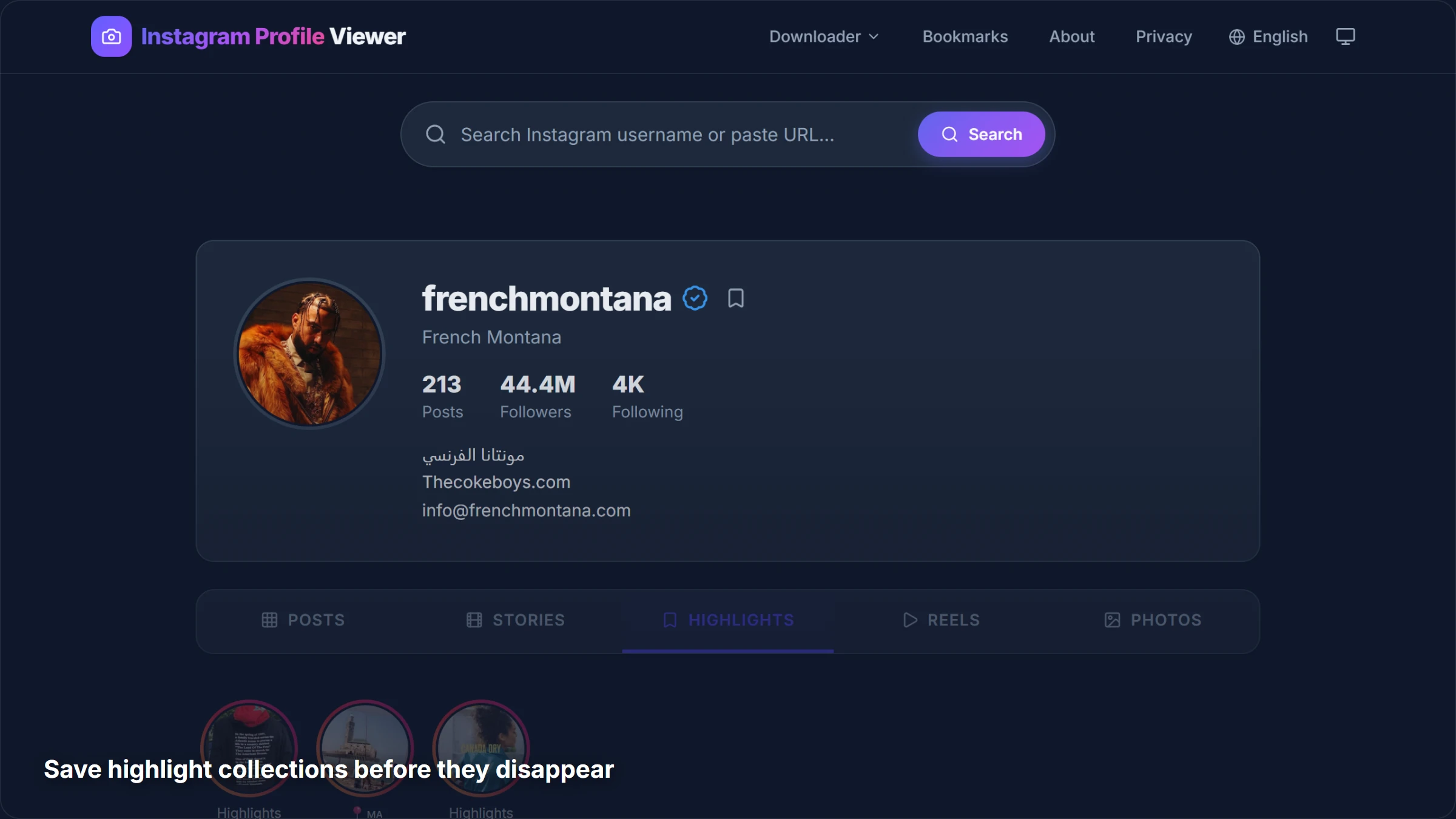
You can browse and download Instagram highlights for free on our site too.
The Limitation
This only works if the user saved their story to highlights. Most stories expire after 24 hours and are gone forever. If you need to see a current, active story anonymously, this method will not help.
Our verdict: Great for browsing older, curated content. Not useful for current stories.
Method Comparison
| Method | Truly Anonymous | Any Username | Download | Still Works in 2026 |
|---|---|---|---|---|
| StoriesDown | Yes | Yes (public) | Yes | Yes |
| Airplane Mode | Sometimes | No (preloaded only) | No | Unreliable |
| Burner Account | Partially | Yes (public) | Screenshot only | Yes |
| Incognito Browser | No | N/A | No | No |
| Highlights | Yes | Depends | Yes | Yes (limited) |
What About Private Accounts?
We will be honest: none of these methods work on private accounts. Not ours, not anyone else's. Private accounts restrict their content to approved followers, and there is no legitimate way around that.
Any tool or app claiming it can show you private account stories is lying to you and probably trying to steal your credentials. Do not fall for it.
Tips for Better Anonymous Browsing
A few things we have learned from building and using these tools:
- Search by username, not display name - The @handle is what you need, not someone's full name
- Check quickly - Stories expire after 24 hours, so do not wait too long
- Browse other content too - While you are on someone's profile, you can check their photos, reels, and posts too, all anonymously
- Bookmark profiles - If you check someone's stories regularly, save their profile for quick access next time
Related Guides
We have written more about Instagram privacy and downloading content:
- Can You See Who Views Your Instagram Profile? - Spoiler: no, but here is what Instagram does track
- How to Download Instagram Reels in HD - Save Reels to your device in original quality
- Does Instagram Have Profile Views? - The full breakdown of Instagram analytics
Frequently Asked Questions
Can someone see if I viewed their story using StoriesDown?
No. When you use our story viewer, the story is fetched through our servers, not through your Instagram account. Your username never appears in the poster's viewer list. They have no way to know you watched it.
Is it legal to view Instagram stories anonymously?
Yes. We only access publicly available content. If an account is public, their stories are public. We do not bypass any privacy settings, hack any accounts, or access restricted content.
Do anonymous story viewers work with private accounts?
No, and anyone who tells you otherwise is lying. Private account content is restricted to approved followers. Our tool, and every other legitimate tool, can only access content from public accounts.
Can I download Instagram stories with StoriesDown?
Yes. You can both view and download stories in their original quality. Photos save as images and videos save as MP4 files. It is completely free with no download limits.
How long are stories available for anonymous viewing?
Stories are available for 24 hours after they are posted. Once the 24-hour window closes, Instagram removes them from their servers and they can no longer be viewed through any method. If you want to save a story, download it before it expires.
Ready to try it yourself? Head over to our Story Viewer and search for any public username. It is free, there is no signup, and we think you will be surprised how easy it is.