How to download Instagram Reels
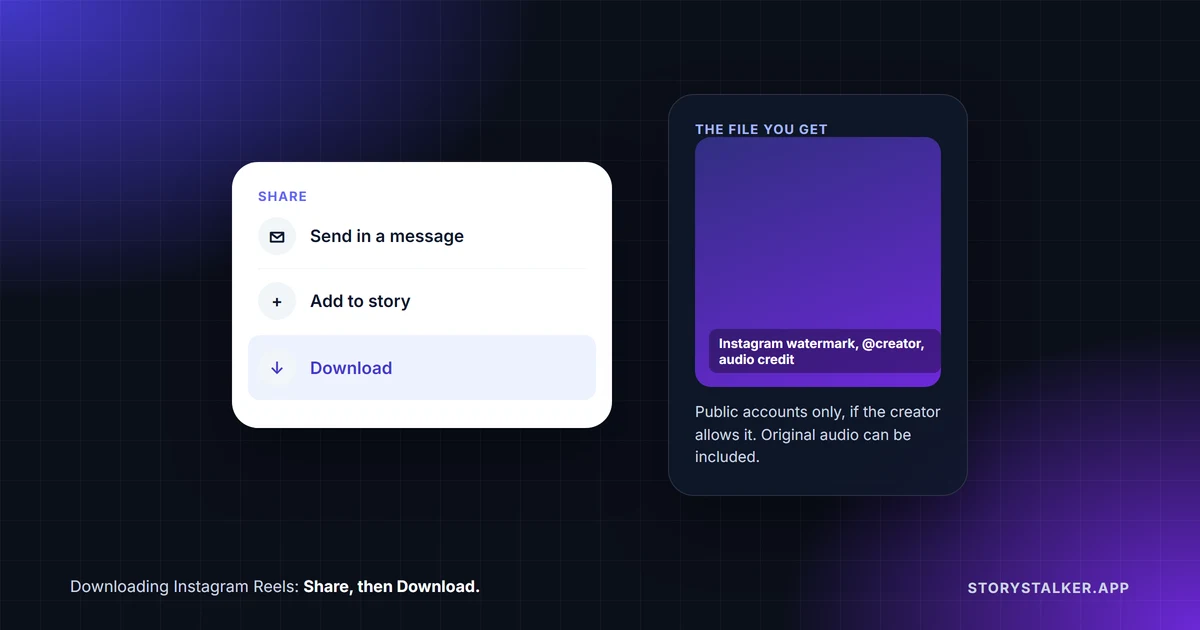
Open the Reel, tap the Share button, then tap Download.1 Instagram announced in November 2023 that all users could download public Reels, after starting in the US that June.1 The video saves to your phone with "an Instagram watermark, your username and audio attribution," meaning the creator's username, so the credit travels with the file.2
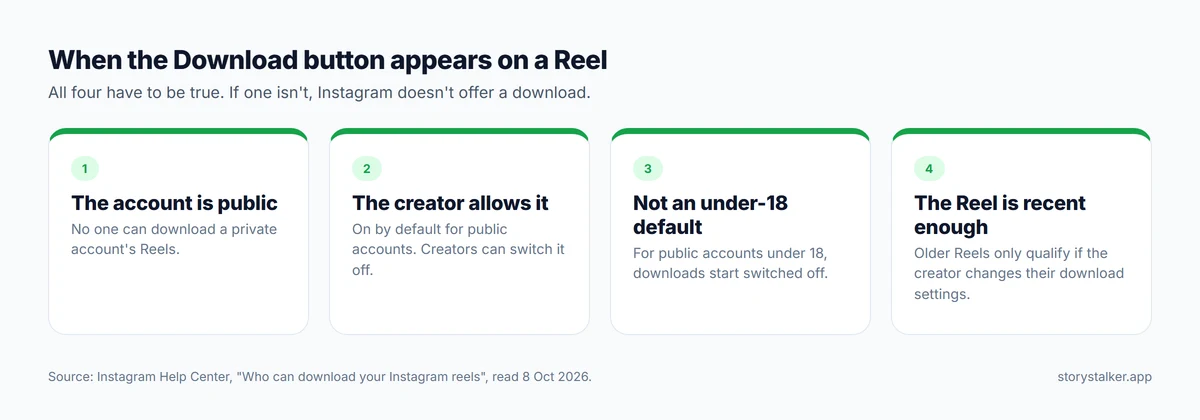
It doesn't work on every Reel. The Download option only appears when the account is public, the creator hasn't switched downloads off, and the Reel was posted after downloads became available.2 Downloaded Reels "aren't allowed to be used for commercial purposes."2
Why there's no Download button
| Reason | What Instagram says |
|---|---|
| The account is private | "No one on Instagram can download your reels, unless you change your account's privacy setting to public"2 |
| The creator turned downloads off | Public accounts allow downloads "unless you change your reels download settings"2 |
| The creator is under 18 | "For Instagram users under 18 with public accounts, the default setting for downloading reels will be off"2 |
| The Reel is older than the feature | "Only new reels you create will be able to be downloaded unless you change your reels download settings"2 |
If none of those apply, it's worth updating the app. The feature reached users in stages, starting in the US in June 2023.1
What happens to the music
Instagram documents two rules. For your own Reel, "downloading your reel won't save any music you added from the Instagram music library."3 For a Reel you download from someone else, Instagram says "original audio is eligible to be included in a downloaded reel if the original reel that contained that original audio is downloadable."2
Instagram doesn't say what happens to library music when you download someone else's Reel. That music is licensed: Instagram describes it as "copyrighted audio,"4 so don't be surprised if a downloaded Reel set to a well-known song comes out without it.
Downloading your own Reels
- While you're making one: after editing, tap Next, then Download to save it to your device.5
- As a draft: you can save a Reel to your camera roll before posting, but library music won't be included, and drafts live only on that device: "If you uninstall the app, your drafts will be lost."3
- Everything you've posted: request an export of your Instagram information, which can include your photos and videos at the quality you choose. We explain the steps in how to download your Instagram data.
Saving a Reel is not downloading it
The bookmark icon saves a Reel inside Instagram, not to your phone. "To save a reel, tap Options then tap Save," and saved posts are "visible to you from a private section of your profile," under Menu and then Saved. "When you save someone's post, they're not able to tell that you've saved it."6 If you want the video file, use Download.
Screen recording
We found nothing in Instagram's Help Center about blocking screen recordings of Reels or notifying the creator. The screenshot and recording blocks Instagram documents are for private media, such as view-once photos in chats and Instants, which we cover in does Instagram notify when you screenshot. A screen recording also captures anything else on your screen, so use the Download option when it's there.
Other websites also offer to download Reels. StoryStalker runs a viewer of this kind, so we're not going to review them here. They work outside Instagram's own options, generally by fetching content automatically, and Instagram's Terms of Use prohibit "accessing or collecting information in an automated way without our express permission."7
Using a Reel you downloaded
Downloading a Reel doesn't give you the right to repost it as your own. Instagram's terms say you can't do "anything that violates someone else's rights, including intellectual property rights,"7 and downloaded Reels aren't for commercial use.2 If you want to share someone's Reel on Instagram, use Instagram's own Share button or repost feature: Meta says "Reposts are credited to the original poster."8 If you want to use it anywhere else, ask the creator.
How to stop people downloading your Reels
You can control downloads in three places:2
- For a new Reel: after editing, tap Next, then More options, and turn off Allow people to download your reels. You can apply it to that Reel or to all of them.
- For one Reel you've already posted: open it from your profile, tap Options, then Manage, and turn off downloading.
- For your whole account: in Menu, go to Sharing and reuse and turn off Downloads.
Copies people already saved stay on their devices: "Copies of reels that have been downloaded onto a device won't be affected if you change your reels download settings."2
Frequently Asked Questions
Does someone know if I download their Reel?
Instagram's Help Center describes no notification when someone downloads a Reel.2 The file does carry the creator's username in the watermark.
Can I download Instagram Reels on a computer?
No. Instagram's Help Center says this "feature isn't available on computers." The Download button is in the app.2
Can I download a Reel from a private account?
No. "No one on Instagram can download your reels" if the account is private.2
Why is there a watermark on my downloaded Reel?
Instagram adds it to every Reel downloaded with its own button: "an Instagram watermark, your username and audio attribution."2
Does saving a Reel download it?
No. Saving adds it to a private list inside Instagram. Download saves the video file to your phone.6
Sources
All pages were read on 8 October 2026. Help Center pages show no revision date.
- Social Media Today, Instagram enables all users to download publicly posted Reels clips, Andrew Hutchinson, 22 November 2023.
- Instagram Help Center, Who can download your Instagram reels.
- Instagram Help Center, Save and edit drafts of your reel on Instagram.
- Instagram Help Center, What audio you can use in your reel.
- Instagram Help Center, Record a reel on Instagram.
- Instagram Help Center, Save posts you see on Instagram.
- Instagram, Terms of Use.
- Meta Newsroom, New Instagram Features to Help You Connect, 6 August 2025.
The StoryStalker editorial team
StoryStalker runs a viewer for public Instagram content, so we follow how Instagram works and how it changes more closely than most people would want to. Each guide is built from Instagram's Help Center, Meta's announcements and developer documentation, and named reporting, and every claim links to the page it came from. When Instagram doesn't document something, we say so instead of guessing. Spotted something out of date? Tell us and we'll fix it.
Published April 4, 2026 · Updated October 8, 2026 · How we work
Keep reading
Why are my Instagram videos blurry?
Some blur you can fix with one setting and the right export. Some you can't: Instagram moves videos nobody is watching to lower quality.
7 min readInstagram photo and video sizes in 2026
Instagram's own numbers: 1080 px wide, ratios from 1.91:1 to 3:4 for photos and up to 9:16 for Reels, 20 items per carousel. Official specs versus convention.
7 min readCan you see who viewed your Instagram Reel?
No. Reel insights give counts, not names, including the confusingly named Viewers metric. What you can see, who can see your likes, and what a view counts.
6 min read