Instagram photo and video sizes in 2026
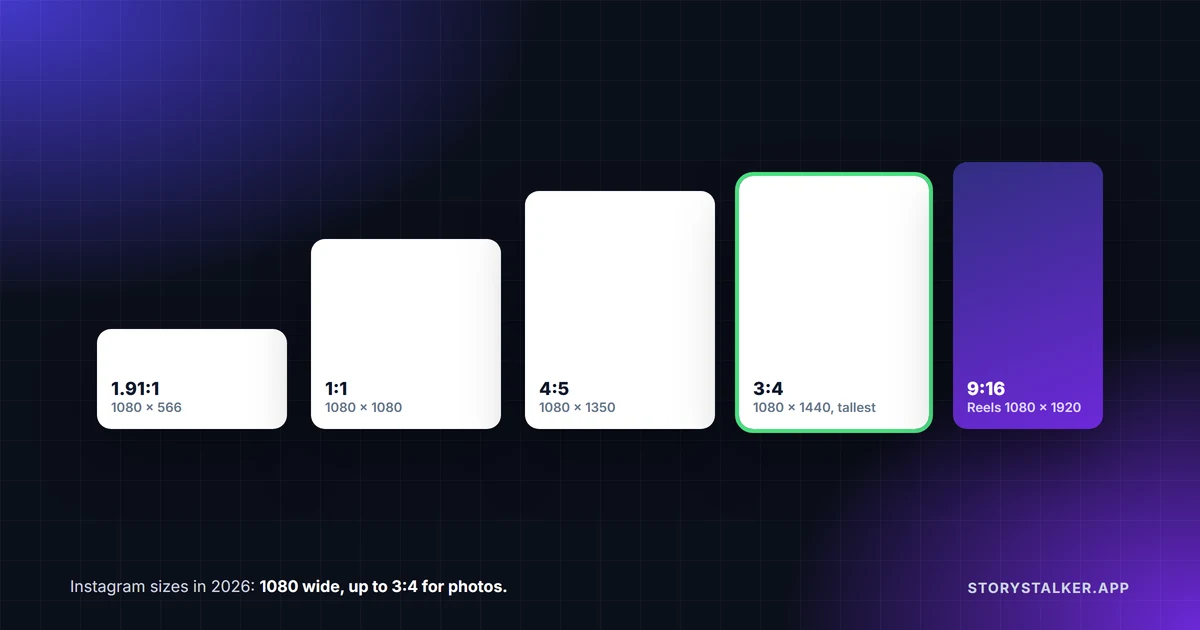
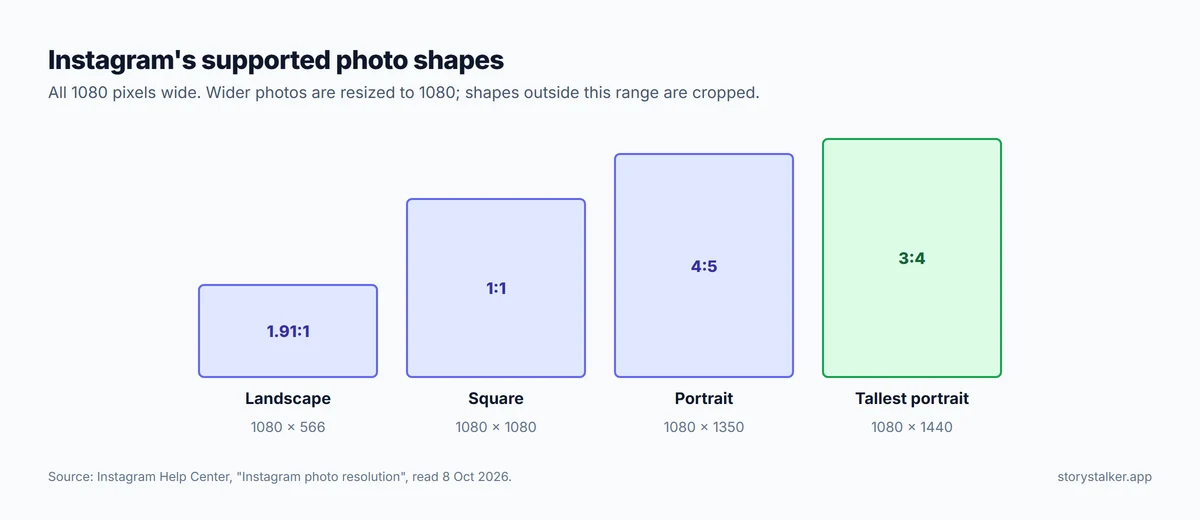
Upload photos 1080 pixels wide, in any shape from 1.91:1 (landscape) to 3:4 (portrait). That's straight from Instagram's Help Center: "Upload a photo with a width of at least 1080 pixels with an aspect ratio between 1.91:1 and 3:4."1 The tallest feed photo is now 1080 × 1440. If you've read that 1080 × 1350 (4:5) is the limit, that was true until Instagram added 3:4 photos in 2025.2
| What | Size to upload | Source |
|---|---|---|
| Feed photo, portrait (tallest) | 1080 × 1440 (3:4) | Instagram1 |
| Feed photo, portrait (older standard) | 1080 × 1350 (4:5) | Within Instagram's range1 |
| Feed photo, square | 1080 × 1080 (1:1) | Within Instagram's range1 |
| Feed photo, landscape (widest) | 1080 × 566 (1.91:1) | Instagram1 |
| Reel | 1080 × 1920 (9:16) is the usual full-screen size. Instagram accepts 1.91:1 to 9:16, at least 720 pixels | Range from Instagram,3 size by convention |
| Story | 1080 × 1920 (9:16) | Common practice. Instagram's Help Center gives no organic Story size |
| Carousel | Up to 20 photos or videos, all in the same orientation | Instagram4 |
| Reel cover | 420 × 654 (1:1.55) | Instagram3 |
| Profile picture | Displayed as a circle. Instagram doesn't publish a size |
Photos
Instagram explains exactly what happens to a photo when you upload it: "When you share a photo that has a width between 320 and 1080 pixels, we keep that photo at its original resolution as long as the photo's aspect ratio is between 1.91:1 and 3:4 (a width of 1080 pixels with a height between 566 and 1440 pixels)."1
Outside that range, it changes the photo:1
- Wider than 1080 pixels: "we size it down to a width of 1080 pixels." Uploading a 4000-pixel photo doesn't give you a sharper post.
- Narrower than 320 pixels: "we enlarge it to a width of 320 pixels," which looks soft.
- A shape outside 1.91:1 to 3:4: "it will be cropped to fit a supported ratio."
So the best you can upload is 1080 pixels wide. Export at exactly that width and you decide how your photo is scaled, not Instagram.
Your profile grid crops to a rectangle
In January 2025 Instagram changed profile grids from squares to rectangles, because "the majority of uploaded content is now vertically oriented."5 The new tiles are widely reported as 3:4, which matches the tallest photo shape. If that's right, a 3:4 photo fills its tile exactly, and a square or 4:5 photo is trimmed at the sides in the grid. The full photo still shows when someone opens it.
If a grid preview cuts off something important, Business Today reported you can open the post's menu and use Adjust Preview to change how it fits.5
Reels
"You can upload a reel with an aspect ratio between 1.91:1 and 9:16," and Reels "should have a minimum frame rate of 30 FPS (frames per second) and minimum resolution of 720 pixels."3 Instagram doesn't give a pixel size, but 1080 × 1920 is the usual full-screen export.
On length, Instagram says "You can record and edit videos up to 20 minutes with Instagram Reels," but adds: "Reels over 3 minutes won't be recommended to new audiences."6 If reach beyond your followers matters, keep to three minutes. Instagram raised the Reel limit from 90 seconds to 3 minutes in January 2025;5 its Help Center now says 20 minutes.6
For the cover image, Instagram recommends "420px by 654px (or 1:1.55 ratio)."3
Carousels
"You can share a post with up to 20 photos and videos as a single post, also known as a carousel." The orientation you pick applies to the whole post: "You can't select a different orientation for each photo or video."4 Instagram raised the limit from 10 to 20 in stages during 2024, with 20 reaching all users in August.7
Stories
Stories fill a phone screen, so the standard size is 1080 × 1920 (9:16). We found no organic Story size in Instagram's Help Center, and no "safe zones" for where to keep text clear of the profile name and reply bar. The margins you'll see in guides (220, 250 or 340 pixels) are rules of thumb, not Instagram's numbers. Story videos longer than 60 seconds are split into separate clips;8 we cover that in how long do Instagram stories last.
Profile picture
Instagram's Help Center gives the steps for changing your picture (Edit profile, then Edit picture or avatar) but no pixel size.9 The "320 × 320" you'll see on other sites isn't from Instagram. Any square image that's sharp at a few hundred pixels works, with the subject centred, since it's shown as a circle. Your profile picture "is public to everyone, on or off Instagram, even if they don't have an Instagram account."9
If your uploads look worse than the original
Instagram's Reel size page says you can always upload Reels at the highest quality: go to your profile, tap Menu, then under Your app and media tap Media quality and turn on Upload at highest quality. It notes this "may take longer."3 For everything else that makes uploads soft, see why your Instagram videos look blurry.
Frequently Asked Questions
What's the best size for an Instagram post in 2026?
1080 × 1440 pixels (3:4) for portrait photos, which is the tallest Instagram allows and fills the profile grid tile. 1080 × 1350 (4:5) and 1080 × 1080 (1:1) still work.1
Does 4:5 still work on Instagram?
Yes. It's inside Instagram's supported range of 1.91:1 to 3:4.1 In the rectangular profile grid it gets trimmed slightly at the sides.
What size is an Instagram Reel?
1080 × 1920 (9:16) is the usual full-screen size. Instagram's own figures are ratios from 1.91:1 to 9:16, at least 720 pixels and 30 frames per second.3
How long can a Reel be?
Up to 20 minutes, but "Reels over 3 minutes won't be recommended to new audiences."6
How many photos can a carousel have?
Up to 20.4
Should I upload photos bigger than 1080 pixels?
It won't help. Instagram sizes anything wider down "to a width of 1080 pixels."1
Sources
All Instagram pages were read on 8 October 2026. Help Center pages show no revision date.
- Instagram Help Center, Image resolution of photos you share on Instagram.
- Business Today, No need to crop your photos as Instagram now supports 3:4 aspect ratio for photos, 2 June 2025.
- Instagram Help Center, Reel size and aspect ratios on Instagram.
- Instagram Help Center, Share a post with multiple photos or videos on Instagram.
- Business Today, Instagram head announces big changes: 3-minute Reels and new look for profile grid, updated 21 January 2025.
- Instagram Help Center, Record a reel on Instagram.
- Social Media Today, Instagram expands carousels to 20 frames, August 2024.
- Instagram Help Center, Share a photo or video to your Instagram story: "When you share a video up to 60 seconds long to your stories, it will appear as one clip. Longer videos will be broken up into multiple clips."
- Instagram Help Center, Change your Instagram profile picture.
The StoryStalker editorial team
StoryStalker runs a viewer for public Instagram content, so we follow how Instagram works and how it changes more closely than most people would want to. Each guide is built from Instagram's Help Center, Meta's announcements and developer documentation, and named reporting, and every claim links to the page it came from. When Instagram doesn't document something, we say so instead of guessing. Spotted something out of date? Tell us and we'll fix it.
Published July 13, 2026 · Updated October 8, 2026 · How we work
Keep reading
Why are my Instagram videos blurry?
Some blur you can fix with one setting and the right export. Some you can't: Instagram moves videos nobody is watching to lower quality.
7 min readCan you see who viewed your Instagram Reel?
No. Reel insights give counts, not names, including the confusingly named Viewers metric. What you can see, who can see your likes, and what a view counts.
6 min readHow to download Instagram Reels
Instagram has its own Download button for public Reels, with a watermark. Why it is sometimes missing, what happens to the music, and other ways to save a Reel.
6 min read