Who can see your location on the Instagram Map
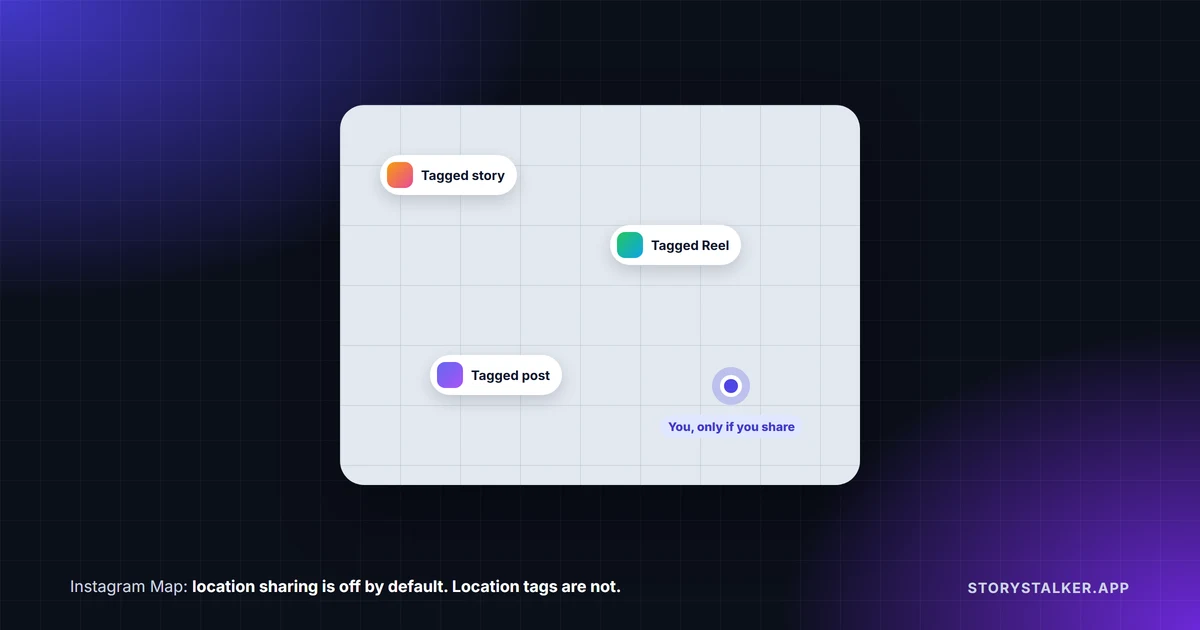
Nobody sees your own location on the Instagram Map unless you choose to share it. "When you first access the Instagram map, your location is defaulted to off," Instagram's Help Center says, and you can only share with accounts that follow you back.1
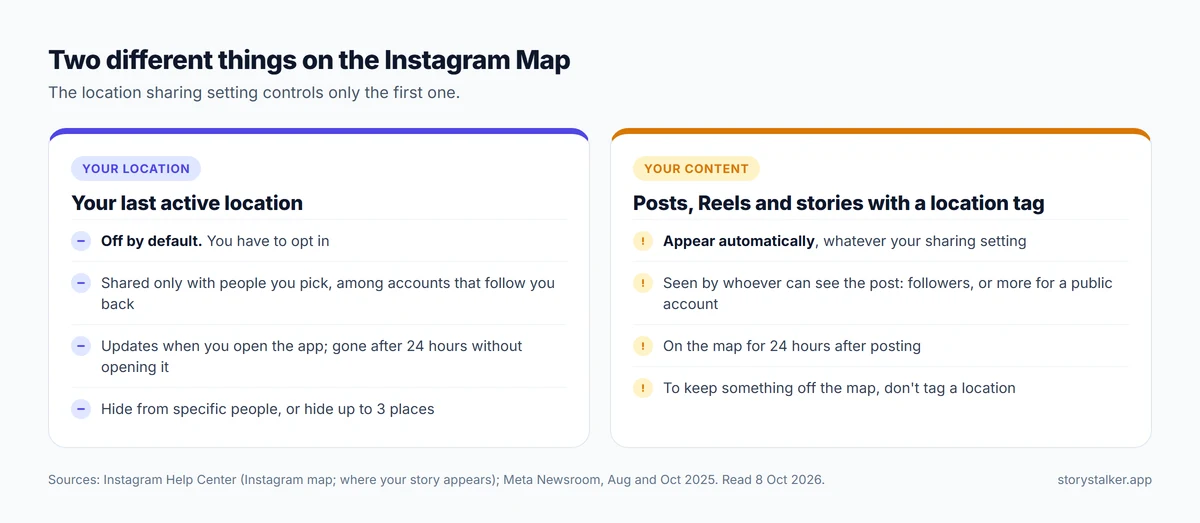
The confusion comes from a second thing on the same map: posts, Reels and stories with a location tag. Those appear whether or not you share your location: Meta says "Any content with a location tagged can show up on the map," including "Reels, posts, and stories from people you follow, available for 24 hours after it's posted."2 For stories, Instagram's Help Center puts it plainly: "If you have a tagged location in your story, your story will appear on the Instagram map for your followers."3 Turning off location sharing doesn't remove them.
| What's on the map | Who sees it | How to stop it |
|---|---|---|
| Your last active location | Only people you pick, among accounts that follow you back. Off by default1 | Map, Settings, choose no one1 |
| Posts, Reels and stories with a location tag | People who can see the post, for 24 hours after it's posted2 3 | Don't add a location tag |
| Notes | People you follow each other with, for 24 hours2 | Don't share your location or post a note there |
How location sharing works
Instagram launched the map in the US on 6 August 20252 and later expanded it, including to India in October 2025.4 You find it at the top of your messages inbox.1
If you opt in, Instagram shows your "last active location," not a live track.2 "If you share your location, it will update each time you open Instagram or return to the app if it's been running in the background. Your location disappears if you haven't opened or returned to the app within 24 hours."1
You choose who sees it: "friends (followers you follow back), Close Friends, Only selected friends, or no one."2
How to check or turn off location sharing
In the Instagram app:1
- Tap Messages, then Map at the top of your inbox.
- Tap Settings in the top right.
- Choose who to share with, or no one, and tap Share Location to save.
The icon shows your status: "A blue arrow: You're sharing your location with your selected audience. A red dot: You're not sharing your location."1
The map setting is separate from your phone's location permission: "if you turn off location sharing to the Instagram map, location services can still be on for Instagram."1 If you don't want Instagram to have your location at all, turn it off for Instagram in your phone's settings.
Hiding from specific people or places
From the same Settings screen, tap Options in the top right:1
- Hide from... lets you pick accounts that won't see your location, even if they're in the audience you chose.
- Hide places lets you set up to three areas: "You can choose up to 3 places to set as hidden. When you are inside a hidden place, no one will see you on the map."
If someone asks to see your location and you decline, Instagram says they aren't notified.1
Why your story might be on the map
When the map launched, some people saw their own stories on it and assumed Instagram was broadcasting where they were. Adam Mosseri, the head of Instagram, wrote at the time that "People assume that, because they can see themselves on the map when they open it, other people can see them too."5 He also wrote that, "as best we can tell people are seeing stories where people have added a location and assuming the author is sharing their live location."6 Fox Business reported that US senators Marsha Blackburn and Richard Blumenthal were pushing for the feature to be shut down.7
In October 2025 Meta said it had "heard from people who thought that sharing content with a tagged location meant they were sharing their location on the map," and made changes: "a more prominent, persistent indicator at the top of the map," removing profile photos from the top of tagged content "to help clarify that it's not someone's location," and "an educational reminder that when you add a location tag to a story, reel, or post, it will populate on the Map."4
So if your story is on the map, it's because the story has a location tag. Who sees it follows your account's privacy: followers for a private account, and possibly more people for a public one.3 To keep a story off the map, don't tag a location.
Teens and parental supervision
"Teens will only be able to share their location with adults they follow or other teens."1 Parents who have supervision set up "will receive a notification if your teen starts sharing their location," can see who their teen shares with, and can turn off their teen's access to location sharing.2
Frequently Asked Questions
Is the Instagram Map on by default?
Location sharing isn't: "your location is defaulted to off."1 Location-tagged posts and stories appear on the map regardless.3
Can people track me in real time on the Instagram Map?
Not continuously. If you share, the map shows your last active location, which updates each time you open Instagram or return to it, and disappears if you haven't opened or returned to the app within 24 hours.1
Does turning off location sharing remove my posts from the map?
No. Tagged posts, Reels and stories still appear for the people who can see them, for 24 hours after posting.2 4 To keep something off the map, don't add a location tag.
Who can see my location on Instagram?
Only accounts you choose, and only among accounts that follow you back.1
Can I hide my location from one person?
Yes. Use Options, then Hide from... in the map's settings.1
Will someone know if I stop sharing my location?
Instagram's Help Center doesn't describe a notification for turning sharing off. It does say that if you decline someone's request to see your location, they're not notified.1
Sources
Instagram and Meta pages were read on 8 October 2026. Help Center pages show no revision date.
- Instagram Help Center, About sharing your location with others on the Instagram map.
- Meta Newsroom, New Instagram Features to Help You Connect, 6 August 2025.
- Instagram Help Center, Where your Instagram story appears.
- Meta Newsroom, Now In India, Instagram rolls out Map feature to help people connect with friends, 6 October 2025.
- Storyboard18, Instagram's new map feature triggers safety fears, Meta blames misunderstanding, 8 August 2025.
- NBC News, Instagram's Map feature raises privacy concerns among some users, 8 August 2025.
- Fox Business, Bipartisan senators call for Instagram to shut down its new map feature, citing children's safety concerns, 10 August 2025.
The StoryStalker editorial team
StoryStalker runs a viewer for public Instagram content, so we follow how Instagram works and how it changes more closely than most people would want to. Each guide is built from Instagram's Help Center, Meta's announcements and developer documentation, and named reporting, and every claim links to the page it came from. When Instagram doesn't document something, we say so instead of guessing. Spotted something out of date? Tell us and we'll fix it.
Published October 30, 2026 · How we work
Keep reading
Restrict vs block vs mute on Instagram
Mute changes what you see. Restrict quietly fences off someone's comments and messages. Block cuts contact. What each does, and what the other person can tell.
8 min readCan you view a private Instagram account?
Not without being an approved follower. What a private profile shows to anyone, what it hides, how private viewer sites make money, and the one real leak.
8 min readWhat Instagram Plus costs and what you get
Instagram Plus is $3.99 a month in the US for extra story and profile features. What's included, prices elsewhere, and what it doesn't do.
8 min read