How to turn off read receipts and activity status on Instagram
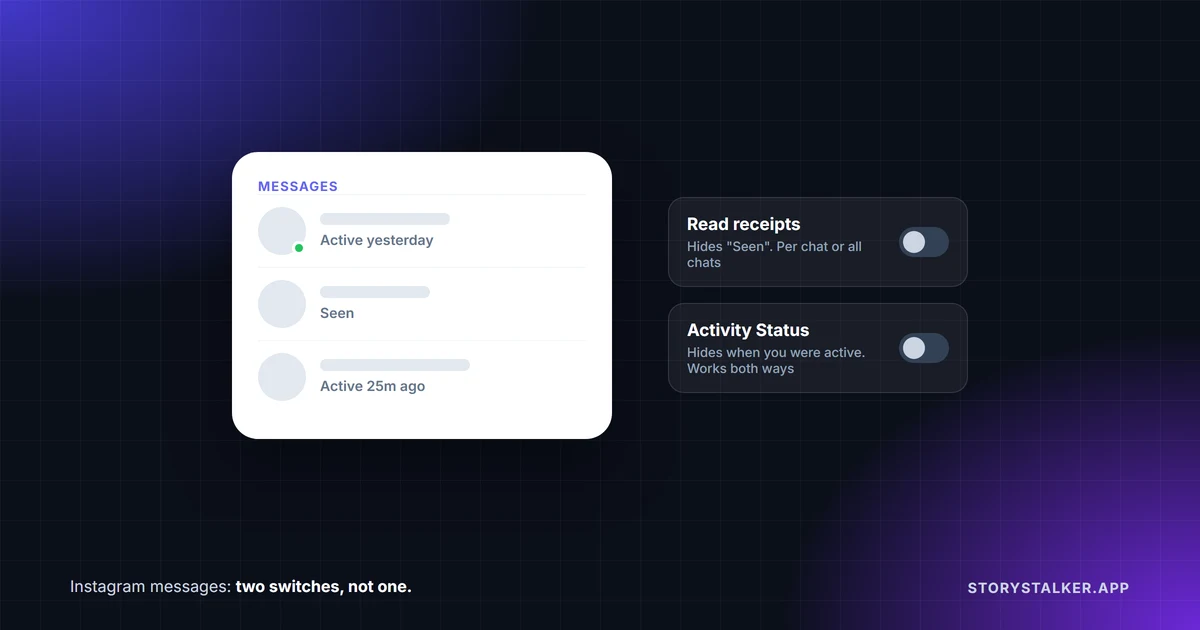
Instagram has two separate settings, and people mix them up all the time. Read receipts decide whether others can see that you've read their message. Activity Status decides whether they can see that you're online, or when you last were. Turning one off doesn't touch the other.
| Setting | What it hides | Where to turn it off | Catch |
|---|---|---|---|
| Read receipts | That you've read someone's message | One chat, or all chats, in the app1 | A setting you change in one chat overrides the all-chats switch1 |
| Activity Status | Whether you're active now, or "Active 25m ago" | Messages and story replies → Show Activity Status2 | Turn it off and you can't see anyone else's status either2 |
Turn off read receipts
Instagram defines them like this: "Read receipts allow others in a chat on Instagram to see when you've viewed their message. You can manage read receipts for certain chats or for all chats."1 The setting is only in the mobile app, not on instagram.com.1
For one chat: open the chat, tap the name at the top, tap Privacy & safety, and turn off Read receipts.1
For all chats: go to your profile, tap Menu, then under How others can interact with you tap Messages and story replies, then Show read receipts, and turn off Read receipts.1
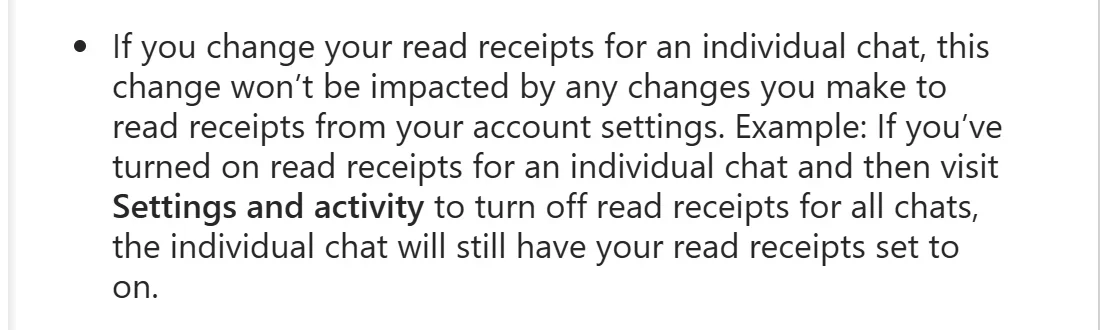
There's a catch that Instagram spells out but almost nobody repeats. A choice you make inside a chat wins over the all-chats switch: "If you change your read receipts for an individual chat, this change won't be impacted by any changes you make to read receipts from your account settings." Instagram's own example: if you turned receipts on in one chat and later turn them off for all chats, that one chat "will still have your read receipts set to on."1 If you've ever toggled the setting inside a chat, check that chat again after changing the global switch.
Does turning off your read receipts stop you seeing other people's? Instagram's page doesn't say. It only describes the setting as stopping "others in the chat" from seeing when you've read a message.1 Some guides say it works both ways, but we found nothing from Instagram to back that up.
Instagram started testing this in November 2023, saying "We heard your feedback,"3 and rolled it out in January 2024.4 Older articles that say Instagram has no way to turn off read receipts were written before that.
Turn off Activity Status
"When your Activity Status is on, people you follow and anyone you message will see when you were last active or currently active on Instagram."2 It shows up as a dot or a timestamp next to your profile picture in messages.2 So accounts you don't follow and haven't messaged don't see it.2
To turn it off, go to your profile and tap Menu, then under How others can interact with you tap Messages and story replies, then Show Activity Status, and switch it off.2
This one does work both ways, and Instagram says so: "when you turn off your Activity status, you won't see when accounts who follow you or accounts you have direct conversations with are active... You also won't be able to see anyone else's Activity status."2 You only see someone's status "when you both have Activity Status turned on."5
What neither setting hides
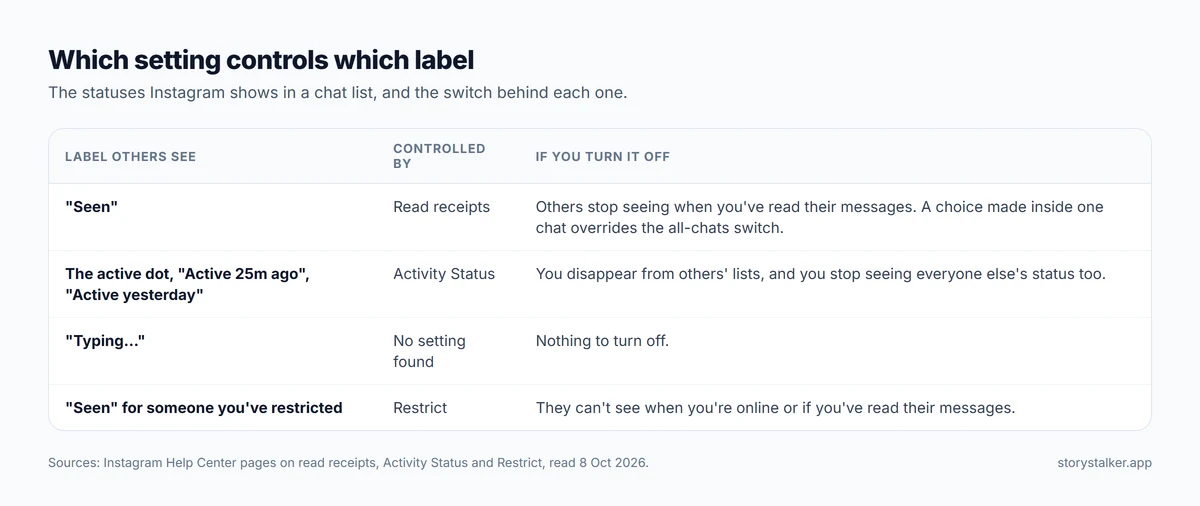
- Typing. Instagram lists "Typing..." among the statuses in your inbox,5 and we found no setting that turns it off.
- Your story views. Watching someone's story still puts your name in their viewer list. That's a separate system, covered in how to view Instagram stories anonymously.
- Likes, comments and follows. Neither setting mentions them; they work as they always do.
Reading a message without them knowing
Now that read receipts can be turned off, that's the straightforward way. Two other approaches come up:
- Restrict them. Instagram documents this one. If you restrict someone, "They won't be able to see when you're online or if you've read their messages," and their chat moves to your message requests, where "You'll be able to see the person's message without the person knowing that you've seen it."6 Restrict also hides their new comments on your posts from everyone else, so it's a bigger step than it sounds. We compare it with muting and blocking in restrict vs block vs mute on Instagram.
- Airplane mode. Load the chat list, turn on airplane mode, read, then close the app before reconnecting. We found no dated test or Instagram statement showing this still works, and the guides that suggest it warn that the receipt may go out when you reconnect.7 With a real setting available, it isn't worth the gamble.
Frequently Asked Questions
If I turn off read receipts, can I still see when people read my messages?
Instagram doesn't say. Its Help Center only describes the setting as stopping others from seeing when you've read their message.1
If I turn off Activity Status, can I see when others are online?
No. "You also won't be able to see anyone else's Activity status."2
Does turning off Activity Status turn off read receipts?
No. They're separate settings on separate Help Center pages.1 2 "Seen" is controlled by read receipts.
Can I turn off read receipts on a computer?
No. Instagram says the feature "isn't available on computers." Change it in the app, on your phone.1
Who can see my Activity Status?
"People you follow and anyone you message," and only if they have Activity Status turned on too.2 5
Can I hide that I'm typing?
We found no setting for it. Instagram lists "Typing..." as one of the statuses others see in their inbox.5
Sources
All pages were read on 8 October 2026. Help Center pages show no revision date.
- Instagram Help Center, Manage read receipts for your chats on Instagram.
- Instagram Help Center, Turn your Instagram Activity Status on or off.
- TechCrunch, Instagram is finally testing a feature to let you turn off read receipts for DMs, Ivan Mehta, 7 November 2023.
- Social Media Today, Instagram Now Lets You Opt-Out of Read Receipts for DMs, Andrew Hutchinson, 25 January 2024.
- Instagram Help Center, See who's active on Instagram.
- Instagram Help Center, Restrict or unrestrict someone on Instagram.
- Online Tech Tips, How to (Indirectly) Turn off Read Receipts on Instagram, Ben Stockton, 13 July 2023: "once you turn off airplane mode and connect to the internet again, the read receipts will be sent."
The StoryStalker editorial team
StoryStalker runs a viewer for public Instagram content, so we follow how Instagram works and how it changes more closely than most people would want to. Each guide is built from Instagram's Help Center, Meta's announcements and developer documentation, and named reporting, and every claim links to the page it came from. When Instagram doesn't document something, we say so instead of guessing. Spotted something out of date? Tell us and we'll fix it.
Published October 16, 2026 · How we work
Keep reading
How to tell if someone blocked you on Instagram
Instagram never tells you that you've been blocked, and a block can look like a deactivated account. Checks that tell them apart, and signs that mean nothing.
8 min readDoes Instagram notify when you screenshot?
Stories, posts and Reels don't notify anyone. View-once photos in DMs can't be screenshotted at all now, and vanish mode can still tell the sender.
10 min readRestrict vs block vs mute on Instagram
Mute changes what you see. Restrict quietly fences off someone's comments and messages. Block cuts contact. What each does, and what the other person can tell.
8 min read